
OCR for Bank Statements, Checks and Utility Bills: Worked Math

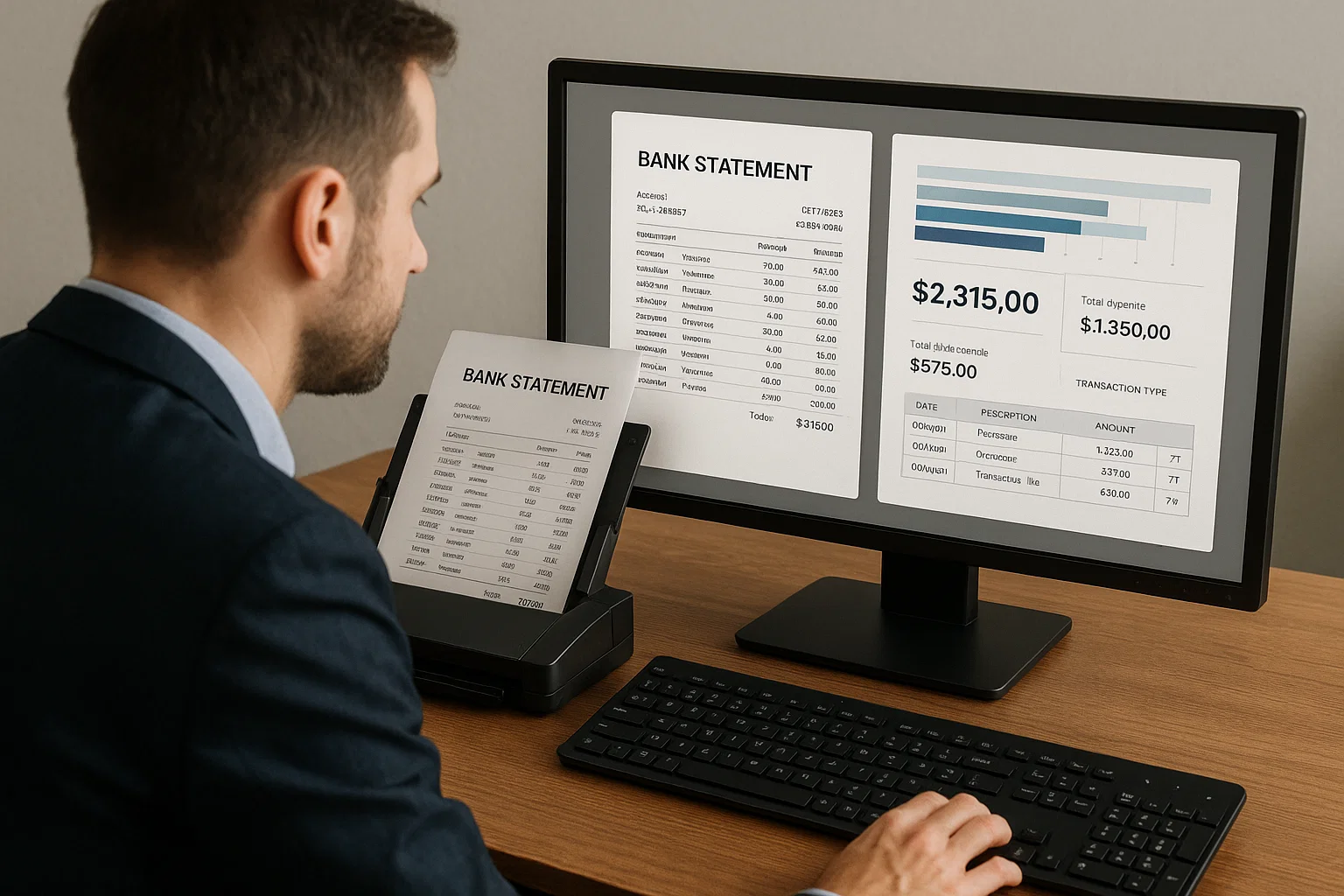
Table of contents
OCR for bank statements reads account details, opening and closing balances, and every transaction row, then proves the read with one sum: opening balance plus credits minus debits must equal closing balance. Lenders add authenticity checks or pull data straight from the bank.
OCR for bank statements turns a PDF or photo into rows of data, then checks its own work with arithmetic: opening balance plus credits minus debits must equal the closing balance. Checks work differently. They carry a magnetic-ink line whose routing number has its own checksum. Utility bills are ordinary text, but utility meter photos are an image problem. This page gives the field lists, worked math and lender checks.
What does OCR for bank statements extract?
OCR for bank statements reads the account header (holder, bank, account number, statement period), the opening and closing balances, and every transaction as a row with a date, description, amount and debit or credit direction. Some banks also print a running balance after each row. The output is JSON or CSV.
| Field | Common trap |
|---|---|
| Account holder and number | Joint accounts list two names; the number is usually masked |
| Statement period | Rows print dates like 07/17 with no year, so the period supplies it |
| Opening and closing balance | Labels vary (beginning, ending); "available balance" is a different number |
| Transaction date and description | Long descriptions wrap onto a second line |
| Amount, debit or credit | Two columns, one signed column, or CR and DR suffixes |
| Running balance | Many banks print only daily balances |
Field names differ by vendor. Microsoft's public schema for its US bank statement model returns BeginningBalance and EndingBalance per account, and Date, Description, CheckNumber, DepositAmount and WithdrawalAmount per transaction. As of the version we read, it has no running balance and no total credits or debits, so confirm what your tool returns.
OCR is for scans and photos; a PDF from the bank's website already holds its text (readable PDF vs image PDF has a two-second test).
Why does bank statement OCR fail, and how do you prove it read the statement right?
It usually fails on table structure, not on letters. Amounts land in the wrong column, rows split at page breaks, and page subtotals or wrapped descriptions become fake rows. You catch this with one sum: opening balance plus credits minus debits must equal the closing balance to the cent. If it misses by one cent, at least one number is wrong.
Table handling is the real gap between engines. In the 500-document OCR-engine set of our benchmark, character-level accuracy on scanned multi-page bank statement tables was 64% for Tesseract 5.x, 79% for PaddleOCR and 91% for DocsAPI. On the separate 1,200-document parser set, bank statement tables scored 76% for Docling, 71% for LlamaParse and 91% for DocsAPI. DocsAPI is our product, so see the full benchmark method. Most engines treat each page as its own table (PDF parser online explains).
The reconciliation check, worked
Here is a made-up August statement. The opening balance on August 1 is 4,250.00, and the bank prints a running balance after each row.
| Date | Description | Debit | Credit | Running balance |
|---|---|---|---|---|
| Aug 3 | Deposit, card settlement | 3,120.45 | 7,370.45 | |
| Aug 5 | Check 1041 | 1,200.00 | 6,170.45 | |
| Aug 7 | ACH rent | 1,850.00 | 4,320.45 | |
| Aug 12 | Deposit | 2,480.00 | 6,800.45 | |
| Aug 14 | POS fuel | 64.18 | 6,736.27 | |
| Aug 18 | ACH payroll | 2,900.00 | 3,836.27 | |
| Aug 21 | Deposit | 1,975.30 | 5,811.57 | |
| Aug 27 | Service fee | 15.00 | 5,796.57 | |
| Aug 29 | Check 1042 | 410.75 | 5,385.82 |
Credits: 3,120.45 + 2,480.00 + 1,975.30 = 7,575.75. Debits: 1,200.00 + 1,850.00 + 64.18 + 2,900.00 + 15.00 + 410.75 = 6,439.93. So 4,250.00 plus 7,575.75 minus 6,439.93 = 5,385.82, which matches the closing balance. Now break it three ways:
| What OCR got wrong | Computed closing balance | Gap to the printed 5,385.82 |
|---|---|---|
| The Aug 12 deposit of 2,480.00 read into the debit column | 425.82 | 4,960.00 too low (twice 2,480.00) |
| The Aug 21 deposit of 1,975.30 lost at a page break | 3,410.52 | 1,975.30 too low |
| Rent of 1,850.00 read as 1,650.00 | 5,585.82 | 200.00 too high |
Any gap sends the statement to review. If a running balance is printed, also test each row: previous balance, minus the debit or plus the credit, must equal the printed one. In the third case, row 3 expects 4,520.45 but the bank printed 4,320.45, which points to the bad row.
What the check cannot tell you
- It proves the numbers agree, not that the statement is genuine. A careful edit can keep the arithmetic consistent (see bank statement fraud detection).
- A right amount under a truncated description passes the sum, yet the description decides whether a large deposit needs explaining.
- One closing balance should also equal the next opening balance, which multi-account bank statement OCR covers.
How do lenders verify bank statements automatically?
Lenders use three routes, often together. Software reads the statement and checks its arithmetic and required fields. Forensic checks look for signs of editing, such as font differences, suspiciously round numbers, typos and totals that do not add up (Ocrolus lists these). Or, with the borrower's permission, the lender pulls data straight from the bank and skips the document.
For mortgages sold to Fannie Mae, section B3-4.2-01 says a statement must show the institution, the borrower as account holder, the last four digits of the account number, the period, all deposits and withdrawals, and the ending balance. A purchase needs the most recent full two-month period, a refinance one month, and a statement over 45 days old needs supplemental bank-generated documentation. The guide also accepts direct verification by a vendor when the borrower authorizes it.
Section B3-4.2-02 defines a large deposit as a single deposit above 50% of total monthly qualifying income. If the source (payroll, Social Security, an IRS refund, a transfer between verified accounts) is printed on the statement, nothing more is needed. These are mortgage rules; other lenders set their own. OCR reads the fields so rules can run; it does not decide whether a deposit is acceptable (verification of assets OCR works the rule).
What do OCR for underwriters and OCR for bank statement analysis need to deliver?
Clean rows plus a few computed numbers: verified balances, every deposit with its full description, fee and overdraft counts, and a flag on anything the software doubted. Extraction reads the statement. Analysis, the next step, categorizes transactions and computes income, average balance and overdraft signals. It is only as good as the rows under it.
| Underwriter asks | What breaks it |
|---|---|
| Is income steady? | Own-account transfers counted as income (cash flow underwriting OCR) |
| Any overdrafts or NSF? | Shortfalls covered by a linked account leave no fee (NSF overdraft detection OCR) |
| Was this data known at decision time? | Training on data the model could not have had (real-time bank statement processing) |
Small error rates add up. The bank statement OCR pricing post estimates 100 to 200 fields on a multi-page statement. At 150 fields and 99% field accuracy, the chance of zero errors is 0.99 to the power of 150, about 0.22 (assuming independent errors), so the reconciliation check and a review queue matter more than a headline accuracy number. More: automated bank statement analysis and OCR for lending and underwriting.
How does OCR for checks read a bank check?
OCR for checks reads two zones. The face holds the payee, the amount in numbers and in words, the date, the memo and the signature. The bottom line, the MICR line, holds the routing number, account number and check number in magnetic ink. OCR for bank checks is safest when the routing number is validated with its own checksum.
| Field | What to validate |
|---|---|
| Amount in numbers and in words | They must agree; if not, a person decides |
| Date | A bank need not pay a check presented over six months after its date (UCC 4-404), so flag old dates |
| Routing number (MICR) | Nine digits that pass the checksum below |
| Amount (MICR) | Added later in processing, so an unprocessed check often has none; use the face |
What is the MICR line?
MICR means magnetic ink character recognition. Regulation CC (12 CFR 229.2) defines the MICR line as numbers printed near the bottom of a check in magnetic ink under ANSI standard X9.13, such as the routing, account and check numbers. US checks use the E-13B font: 10 digits and four symbols (transit, on-us, amount, dash). Bank scanners read the magnetism. A phone photo has only the picture, so OCR must recognize E-13B shapes from pixels.
Layout varies by check style (Microsoft's sample puts the check number first), so read fields by the symbols around them. The US Treasury's OTCnet check capture flags a "Reject Characters Detected" error when the MICR line cannot be read, offers a rescan for skewed or upside-down images, and lets only a supervisor or lead operator key in a corrected line. Never guess silently.
The routing number checksum, worked
A US routing number has nine digits: a four-digit Federal Reserve routing symbol, a four-digit institution identifier and a check digit. The Federal Reserve Bank of New York announced the check digit in Circular 8203 (October 19, 1977) as the last digit of the routing number field, computed "modulus-10, weights 3, 7, 1". Multiply the digits by 3, 7, 1, 3, 7, 1, 3, 7, 1, add the products, and the total must be a multiple of 10. We use 021000021 only for the arithmetic, not to say whose it is.
| Position | 1 | 2 | 3 | 4 | 5 | 6 | 7 | 8 | 9 |
|---|---|---|---|---|---|---|---|---|---|
| Digit | 0 | 2 | 1 | 0 | 0 | 0 | 0 | 2 | 1 |
| Weight | 3 | 7 | 1 | 3 | 7 | 1 | 3 | 7 | 1 |
| Product | 0 | 14 | 1 | 0 | 0 | 0 | 0 | 14 | 1 |
The products add up to 30, so the number is valid. Here is what the test catches:
| What OCR did | Number | Total | Result |
|---|---|---|---|
| Correct read | 021000021 | 30 | Pass |
| Last digit misread (1 as 2) | 021000022 | 31 | Fail |
| Made-up valid number | 016100004 | 20 | Pass |
| Same, with 1 and 6 swapped | 061100004 | 50 | Pass (missed) |
We brute-forced it in Python. Across 20,000 random valid numbers, all 1,620,000 single-digit errors failed the test, and adjacent swaps were missed only when the two digits differ by exactly 5 (1 and 6, 2 and 7). If one digit is unreadable and you know its position, exactly one of the ten digits passes, so the checksum can repair it. With two uncertain positions, ask a person.
def routing_ok(r):
    if len(r) != 9 or not r.isdigit():
        return False
    weights = [3, 7, 1] * 3
    return sum(int(d) * w for d, w in zip(r, weights)) % 10 == 0

print(routing_ok("021000021"))  # True
print(routing_ok("021000022"))  # False
print(routing_ok("123456789"))  # False
The last line is the sample routing number on Microsoft's check schema page, which fails (its products total 159). A pass proves the number is well formed, not that it is assigned or that the check is genuine, so look it up in the Federal Reserve's E-Payments Routing Directory. Passport MRZ check digits work similarly (details).
Can OCR for utility bills prove where someone lives?
OCR for utility bills can reliably read the name, service address and bill date. Whether that proves an address depends on who is asking: the allowed bill age, and whether the service or mailing address counts, differ by requester. OCR also cannot tell a genuine bill from a forged one.
| Field | Trap |
|---|---|
| Service address | Where service is supplied; can differ from the mailing address |
| Mailing address | May be a PO box; California's DMV also wants a physical address |
| Bill date | Starts the age clock for most requesters; confused with the due date or period end |
There is no single date rule. Canada's FINTRAC lists a utility bill as a reliable source for name and address and says only that the information must be valid and current, with no day count. California's DMV accepts home utility bills and bank records, and asks for two different documents. Windows of three to six months are common in KYC and some regions use two (see proof of address verification, which also covers address matching and file forensics).
Example: a bill dated July 15, 2026, checked on September 21, 2026, is 68 days old. It passes a 90-day rule and fails a 60-day rule. If OCR reads the due date as the bill date, an old bill looks newer than it is, so label every date and let a per-customer policy set the window.
Is OCR for utility meter readings the same problem?
No. A utility bill prints its numbers as text, so OCR reads them. OCR for utility meter readings starts from a photo of a physical meter, with glare, dirt, tilt and digit wheels caught mid-turn. That is mostly image recognition: find the counter, straighten it, recognize the digits, and reject photos that cannot be read.
The clearest evidence is a published study by Laroca and colleagues (IEEE Access, 2021). Their Copel-AMR dataset holds 12,500 meter images taken in the field by an energy company's employees, and 2,500 (20%) cannot be read at all because of occlusion or faulty meters. On their data, rejecting low-confidence readings gave recognition of 99% or better, filtering out 98.9% of illegible meters while accepting 99.82% of legible ones. That is one utility's photos, not a guarantee for yours.
Electromechanical meters have digit wheels that can be caught mid-turn, so the authors follow the utility's protocol of labeling the lower digit (a wheel between 4 and 5 counts as 4). Models trained on general text data are likely to fail on rotating digits. What works:
- Use smart meter or utility account data if available, and skip the photo.
- If you need photos, use a detect, straighten and recognize pipeline built for meters, not general document OCR.
- Reject unreadable photos and ask for another. Do not guess.
- Validate: a cumulative register only counts up, so a lower reading is a misread or a rollover.
DocsAPI's supported document list includes utility bills, not meter photos, so for meters look at a meter-specific model.
Do OCR for financial statement extraction and OCR for reconciling transactions work the same way?
They share one idea: extract the numbers, then test that they tie. OCR for financial statement extraction reads balance sheets, income statements and cash flow statements into line items and checks that subtotals add up and assets equal liabilities plus equity. OCR for reconciling transactions matches bank statement rows to your ledger and explains every difference.
Financial statements
LlamaIndex defines financial statement extraction as turning income statements, balance sheets and cash flow statements into machine-readable data. The hard part is layout: a prior-year column beside the current one, nested tables and footnotes.
Take a made-up balance sheet: cash 18,400, receivables 26,150, inventory 12,300 and equipment 43,150 total 100,000. Liabilities of 21,700, 15,000 and 28,300 total 65,000, and with owner's equity of 35,000 the sum is also 100,000: assets equal liabilities plus equity, the accounting equation in OpenStax's textbook. If OCR reads receivables as 26,750, assets become 100,600, off by 600, so the statement goes to review.
Reconciling transactions
OpenStax describes a bank reconciliation as the report that explains the differences between the bank's balance and your own records. Bank-side items are deposits in transit and outstanding checks (you recorded them, the bank has not). Book-side items are service charges, NSF checks and interest (the bank recorded them, you have not).
Take the August statement above. The bank's closing balance is 5,385.82. Your books show 5,914.32 before you record the 15.00 service fee. A deposit of 1,200.00 made on August 31 posts at the bank in September, and check 1043 for 686.50 has not cleared. Adjusted bank balance: 5,385.82 plus 1,200.00 minus 686.50 = 5,899.32. Adjusted book balance: 5,914.32 minus 15.00 = 5,899.32. They tie.
OCR's job is clean rows: signed amounts, ISO 8601 dates, full descriptions and check numbers (see data normalization for extracted documents). Match on check number and amount first. Bank rows with no ledger match suggest book-side items; ledger entries with no bank match suggest bank-side items. Credit card statements follow the same logic.
What to do next
- Lender or underwriter: run the reconciliation check on every statement, apply your own deposit and statement-age rules, and add file forensics or direct bank data for risky files. Our bank statements page shows what our product extracts.
- Bookkeeper: treat unmatched rows as reconciling items, not errors.
- Taking checks: validate the checksum and directory lookup, compare numbers with words, flag old dates, and keep a human correction step. We do not list check images as a supported document type.
- Verifying addresses: extract every date and apply the requester's window.
- Reading meters: smart meter data first, otherwise a model that rejects bad photos.
Choosing a vendor? Test 50 of your own documents (how to measure OCR accuracy explains scoring): a 12-page statement, extracted totals against printed totals, a slightly angled phone photo, field-level confidence scores, and a written answer on training use of your documents.
Sources and how we checked this
We opened each source below and used only what the page states. All arithmetic was run in Python 3 with exact decimals. DocsAPI is our product and the benchmark is our own test, so run your own.
- Microsoft Document Intelligence: bank statement model, its schema, the check model and its schema.
- Fannie Mae Selling Guide B3-4.2-01 and B3-4.2-02.
- Federal Reserve Bank of New York Circular 8203; 12 CFR 229.2; the Federal Reserve Board staff paper on MICR-line issues; UCC 4-404; the E-Payments Routing Directory.
- Wikipedia on MICR (E-13B symbols) and ABA routing numbers (nine-digit structure); US Treasury OTCnet job aid.
- FINTRAC Annex 5; California DMV REAL ID document list (sheet dated 4/2019).
- Laroca et al., Towards Image-based Automatic Meter Reading in Unconstrained Scenarios (IEEE Access, 2021) and Convolutional Neural Networks for Automatic Meter Reading (2019).
- OpenStax Principles of Accounting: accounting equation and bank reconciliation; LlamaIndex and Ocrolus.
Limits: we could not open the ABA's Routing Number Policy, so the nine-digit structure rests on Wikipedia's summary; the weights come from the Federal Reserve circular. Fannie Mae rules cover mortgages sold to Fannie Mae. The date windows are examples from two public sources. We did not test any vendor's check or meter product. This is not legal advice: the rule's owner, not OCR, decides whether a document satisfies a lending or KYC rule.
Frequently asked questions
Often you do not need OCR at all. A PDF downloaded from a bank's website usually has the text inside the file, so software can read it directly and the work is table extraction. OCR is for scans and photos, where the page is only a picture. If you cannot select the text with your cursor, it is an image PDF.
Yes, if the whole page is in frame, flat and sharp, but expect more errors than from a PDF. Microsoft's Document Intelligence documentation asks for one clear photo or high-quality scan per document and a minimum text height of 12 pixels on a 1024 by 768 image, about 8-point text at 150 dots per inch. Run the reconciliation check on every photo.
On a statement you receive as the account holder, a credit is money added to the account (a deposit) and a debit is money taken out (a withdrawal or fee). Some statements use two columns, some use one signed column, and some add CR or DR after the amount. OCR must map each layout to a consistent sign before the reconciliation sum works.
It depends on the lender and the loan. For mortgages sold to Fannie Mae, the Selling Guide asks for the most recent full two-month period (60 days, or the most recent quarter) on a purchase and one month on a refinance. Other lenders, including small business lenders, set their own rules, so check the lender's checklist rather than assuming.
Less, but not never. With borrower authorization, Fannie Mae's guide accepts direct verification through an asset verification vendor, which skips the document. When the borrower does not connect an account, the lender falls back to uploaded statements, and that is where OCR and the checks on this page apply.
No. The reconciliation check proves the numbers agree with each other. A careful forger can edit a statement and keep the arithmetic consistent. Authenticity needs separate checks on how the file was built and edited, and for high-risk files, direct data from the bank. OCR reads what is on the page; it does not know whether the bank issued it.
It can, with lower accuracy. In our benchmark, DocsAPI scored 78% at character level on handwritten forms of mixed neatness, against 73% for PaddleOCR and 61% for Tesseract 5.x. That is why the amount in numbers should be compared with the amount in words, and any disagreement should go to a person.
Requesters often accept either, so ask which they prefer. California's DMV lists both home utility bills and bank records, and wants two different documents. A utility bill shows where service is supplied. A bank statement shows where the bank mails the statement, which may not be a residence. Check the date window and address type each requester wants.
Yes. The UFPR-AMR dataset has 2,000 annotated meter images and is public. The larger Copel-AMR dataset has 12,500 field images, including 2,500 unreadable ones, and is available to the research community after registering and accepting its terms. The Copel-AMR images come from a Brazilian energy company's field staff.
The checksum only tests that nine digits are well formed. About 1 in 10 random nine-digit strings passes; in a simulation of 200,000 random strings we saw 9.96% pass. So a pass does not show the number belongs to a bank. Look it up in the Federal Reserve's E-Payments Routing Directory. Neither test shows the check itself is genuine.
Use the bank's original PDF whenever you can: digital statements carry a text layer that tools for OCR bank statements read almost perfectly, while scans and photos are where errors creep in. Then check the running balance on every row and compare the opening and closing balances with the statement summary.
Software that reads bank statements, extracts every transaction and then analyses them: payroll and other income deposits, recurring bills, overdraft and NSF fees, and cash-flow trends. Lenders use an automated bank statement analyser to underwrite faster, but it should only analyse statements whose balances have reconciled.
Scan at 300 DPI, keep every page including ones that look blank, and avoid angled phone photos. Account statement OCR on a clean 300 DPI scan works well, but keep the running-balance check, because one misread digit changes every balance after it.
Related Blog Posts

Automated Bank Statement Analysis: 4 Days to 90 Minutes
A regional lender cut loan decisions from 4 business days to 90 minutes automating bank statement analysis, and approvals rose 12% on the same credit box once underwriters had time to work the borderline files.
OCR for Invoices and AP Documents: Steps, Costs, Limits
How invoices, receipts, purchase orders and delivery notes get from paper and PDFs into your system: the six-step pipeline, a paper backlog checklist, and a cost example you can rerun with your own numbers.
OCR Accounting, From Hours to Seconds Per Invoice
I watched a five-person accounts payable team work Saturdays for 18 months before OCR. Here is exactly what changed when we automated their stack, and what still needs a human.
Want to see it on your own documents?
Try our free OCR tool in your browser, or book a demo to see how DocsAPI reads the document types covered in this guide.