
Extract Invoice Data to Excel: 600 Invoices Tested
 Nupura Ughade
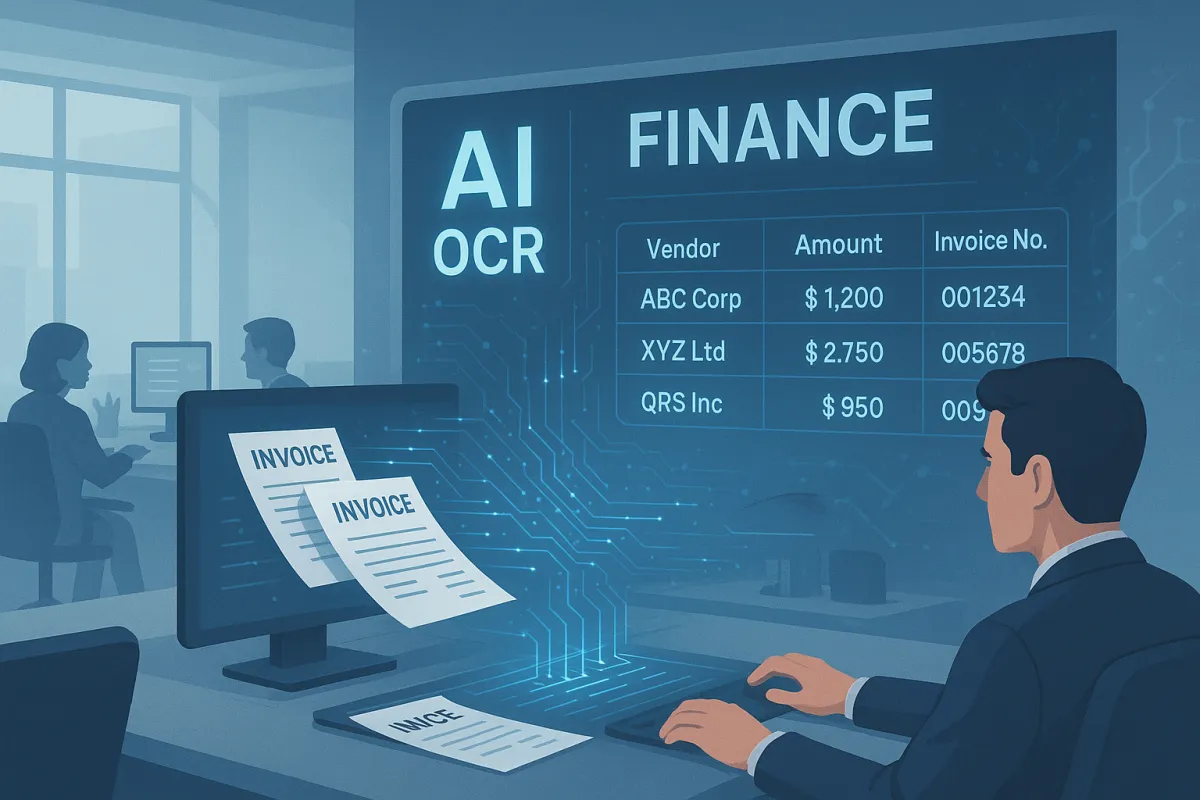
In Tesseract 5.5.2 tests on 600 generated invoices (six layouts, four countries' date and amount formats, four image quality levels, six header fields each), a regular expression over the plain OCR text got all six fields right on 77 invoices and a label aware script got 537. The script finds each field by its label on the same row or in the cell below, reads the day and month order from the page, parses amounts by their last separator, straightens tilted word positions, and evens out uneven light, which took phone quality images from 32.0% to 96.4% of fields right (93.1% from the light fix alone). Its checks (subtotal plus tax equals total, dates against payment terms, invoice number sanity) flagged 53 of the 63 wrong invoices with no false alarm on the 537 right ones; the 10 it missed were all misread invoice numbers. Writing .xlsx with the invoice number stored as text kept every leading zero and long number, which a CSV opened in Excel would not, per Microsoft's documentation.
To get scanned invoices into Excel without bad rows, find each field by its label (on the same row, or in the cell under it), read each date and amount the way that invoice writes it, check the numbers against each other, and save a typed .xlsx file rather than a CSV. In our test of 600 generated invoice images read with Tesseract, a regular expression over the plain OCR text got all six header fields right on 77 invoices. A label aware script got 537 right, and its checks flagged 53 of the 63 it got wrong, with no false alarms on the 537.
The ten that slipped through were all invoice numbers: a digit read as another digit, a 5 read as an S, or a long number that lost or gained digits. Most misreads like these still look like valid invoice numbers, so no check on the page can see them. Below are the test, the layouts and date formats that break a simple extractor, the fixes for tilted and phone quality images, the checks and what they miss, why a CSV can quietly change your invoice numbers, and the script. It is a companion to our tests on duplicate invoice detection and bank statement OCR errors.
How do you get data from a scanned invoice into Excel?
Five steps, in this order. The first four each fixed a specific failure in our test, and the fifth keeps what you extracted intact once it is in Excel.
- Read the page with word positions, not just text. Tesseract's TSV output gives every word with its box. You need the boxes to tell a value next to a label from a value under it.
- Find each field by its label, then look right and then down. "Invoice No.: 0044773" keeps the value on the same row. A header table puts "Invoice #" in one cell and the number in the cell below.
- Parse dates and amounts by the invoice's own conventions. 04/03/2026 is 4 March in London and 3 April in Chicago, and 1.234,56 is one thousand and something in Germany.
- Check the fields against each other. Subtotal plus tax should equal the total, the due date should match the payment terms, and the invoice number should not look like a date or another reference.
- Write a typed .xlsx. Invoice numbers as text, dates as real dates, amounts as numbers, plus a column that says which rows need a person.
The columns we wrote, one row per invoice:
| Column | Excel type | Why |
|---|---|---|
| Invoice number | Text | Keeps leading zeros and long numbers exactly as printed |
| Invoice date, due date | Date, shown as yyyy-mm-dd | Sorts and filters correctly, with no day and month confusion |
| Subtotal, tax, total | Number, two decimals | Sums and pivots work |
| Needs review, why | Text | Lets a reviewer filter to the flagged rows |
Line items are a separate problem with their own failure modes, covered in our guides to invoice line item extraction and extracting tables from scanned PDFs. This test covers the header fields that go in one row per invoice.
How did we test invoice to Excel extraction?
We generated 600 one page invoices, so we knew the right answer for every field. Each had a vendor block, a bill to address, a table of 2 to 6 line items and a totals block, in one of six fonts (Arial, Courier New, Georgia, Tahoma, Times New Roman and Verdana). Totals ran from 56.91 to 32,011.84 in the invoice's own currency. The 600 split into six layouts of 100 each:
- Classic: label and value pairs at the top right, such as "Invoice No.:" then the number.
- Header table: a ruled table with the labels in one row and the values in the row below.
- Stacked: each label in capitals, in a smaller bold font, with its value directly under it.
- Distractors: an order number, order date and customer ID printed above the invoice number, and a ship date between the invoice number and the invoice date.
- Balance due: the totals block adds amount paid and balance due, with a part payment on most of them.
- Terms only: no due date printed, only "Terms: Net 30" or similar.
Each invoice followed one country's habits. US invoices (257) used month first slash dates, dates with a month name or year first dates, with USD and sales tax. UK (128) and India (113) invoices used day first slash or dash dates or dates with a month name, with GBP and VAT or INR and GST. German style invoices (102) used dotted or year first dates and amounts written as 1.234,56, with EUR and VAT. The currency appeared as a code on the total line; no invoice printed a currency symbol. The invoice label varied too ("Invoice No.", "Invoice #", "Inv. No" and others), and so did the invoice number: 125 had leading zeros, 81 were longer than 15 digits, 56 had a letter E between digits, and the rest were prefixed (INV-61829), letters and digits (KC69433) or a year and sequence (2026/1604).
The pages were rendered at 200 DPI and then damaged at four quality levels, 150 invoices each:
- Clean: 200 DPI, no damage.
- Scan: 200 DPI with a tilt of up to 1 degree, light blur and noise.
- Mid: the same damage at 170 DPI, saved as a JPEG at quality 60.
- Phone: about 120 DPI with a slight perspective, light falling off across the page, blur, and a JPEG at quality 50.
Every page was read with Tesseract 5.5.2 in its default automatic page mode. Phone quality pages were read twice, without and with the image fix described below. Two extractors then read the same OCR output, so the difference between them is extraction, not OCR. The first is the approach most tutorials show: regular expressions over the plain text for the invoice number label and the subtotal and tax lines, dates taken by position (the first date on the page as the invoice date, the second as the due date) and parsed with Python's dateutil, and the largest amount on the page as the total. The second is the script at the end of this guide. We scored six fields per invoice, 3,600 in all, as right only if they matched exactly.
How accurate is regex on OCR text compared with a label aware script?
The regex got 67.6% of fields right, and the whole invoice right on 77 of 600. The script got 98.1% of fields and 537 whole invoices. A field level number flatters the regex, because one wrong field is enough to make a row wrong, and most invoices had at least one.
| Field | Regex on plain text | Label aware script |
|---|---|---|
| Invoice number | 63.2% | 96.8% |
| Invoice date | 71.7% | 99.7% |
| Due date | 58.3% | 99.7% |
| Subtotal | 81.0% | 95.8% |
| Tax | 49.0% | 97.0% |
| Total | 82.2% | 99.3% |
| All six right | 77 of 600 | 537 of 600 |
The tax field shows how small the regex mistakes are and how often they repeat. On 183 US invoices the regex took the tax rate as the tax amount: it read "6.25" from "Sales Tax (6.25%)", because that was the first thing on the line shaped like money. The total held up best under the regex, because "the largest amount on the page" is usually the total, even on the balance due layout (83 of 100), where the balance is smaller.
Which invoice layouts break a regex?
Four of the six layouts gave the regex zero fully right invoices.
| Layout | Regex, whole invoice right | Script, whole invoice right |
|---|---|---|
| Classic | 36 of 100 | 95 of 100 |
| Header table | 0 of 100 | 88 of 100 |
| Stacked | 0 of 100 | 92 of 100 |
| Distractors | 0 of 100 | 84 of 100 |
| Balance due | 41 of 100 | 86 of 100 |
| Terms only | 0 of 100 | 92 of 100 |
Labels above values. In the header table and stacked layouts, the plain text reads something like "Invoice Number Issue Date Due Date PO Number", then the values on the next line. A regex for "invoice number followed by a token" takes the next label instead: it returned the next label word, such as Date, Issue or Invoice, and got 0 of 200 right. The script handles this by looking in the label's column on the next row when nothing usable sits to its right.
Other dates and numbers above the real ones. When an order date and a ship date sat above the invoice date, "first date on the page is the invoice date" picked the order date on all 100 invoices, and "second date is the due date" picked the ship date on all 100. On 15 and 11 of them, dateutil also swapped the day and the month. The script rules a label out when the word before it is "Order", "Ship" or "Due", so "Order Date" never counts as "Date".
No due date printed. A regex cannot read a date that is not there. On the terms only layout the regex got 0 due dates right. The script found "Net 30" on the page and added 30 days to the invoice date, and got 99 of 100.
Why do invoice dates come out wrong?
Mostly because 04/03/2026 has two readings. Of the 258 invoices with numeric slash or dash dates, 90 had an invoice date where the day was 12 or less and different from the month, so either number could be the day. Python's dateutil reads month first unless told otherwise, so it got 0 of the 52 day first invoices among those right, and it raised no error, because 3 April is a valid date.
The script decides the order from the page itself, in this order:
- Another date on the same page that can only be read one way. A due date of 16/12/2026 settles that the page writes the day first. This decided 46 of the 90.
- The currency and tax words. VAT, GST, EUR, GBP or INR point to day first, and USD or Sales Tax to month first. This decided the other 44. The script also treats £, € and $ as cues, but our invoices printed codes, not symbols, so those were not tested.
- Neither. The script reads month first and flags the row as "day and month could be swapped", so a person checks it.
That got 89 of the 90 right. The one it missed was a phone quality invoice where the date was not read at all, which the missing date check flagged. Dotted dates (01.11.2026) are day first by convention, and dates with a month name or in year first form have only one reading. If your invoices come from many countries, our guide to multi currency invoice OCR covers how the date problem and the currency problem show up together.
Why do amounts and tax come out wrong?
Two habits cause most of it. The first is reading the tax rate as the tax amount, covered above. The second is the decimal mark. A regex written for 1,234.56 found no amount at all, or the wrong piece of one, on German style invoices: it read "2.00" out of "2.003,97" and got the total right on 1 of 102. The script treats the last comma or point that is followed by exactly two digits as the decimal mark and ignores the rest, which reads both 1,234.56 and 1.234,56, and it got 100 of 102 German style totals right.
The script also ignores any token with a percent sign when it looks for an amount, and takes the last amount on the label's row, which is where invoices print the money. Both rules are simple, and both came straight from the regex's mistakes.
Does scan quality matter more than the extraction method?
At phone quality, yes, until you fix the image. On the clean, scan and mid levels the script got 97.7% to 99.4% of fields right. On the phone level it got 32.0%, and nearly all the misses were fields that came back empty rather than wrong. The cause was the uneven light, as the test below shows.
| Quality | Script, fields right | Script, whole invoice right | Regex, whole invoice right |
|---|---|---|---|
| Clean, 200 DPI | 99.4% | 145 of 150 | 21 of 150 |
| Scan, 200 DPI, tilted | 97.7% | 130 of 150 | 24 of 150 |
| Mid, 170 DPI, JPEG | 98.7% | 138 of 150 | 17 of 150 |
| Phone, about 120 DPI | 96.4% (32.0% before the fix) | 124 of 150 (32 before) | 15 of 150 |
The phone fix. Our preprocessing tests found that most cleanup steps do nothing or hurt, and that each hard problem has one specific fix. For uneven light the fix is evening out the background, applied only when the background brightness varies by more than 40 out of 255 across the page. We used the same test. Every phone page crossed it (52 to 75) and no other page did (1 or less). The script also enlarges any image under 1,300 pixels wide (about 150 DPI for a letter page) by 2x.
Evening out the light did nearly all the work. On its own it took phone quality invoices from 32.0% to 93.1% of fields right. Enlarging on its own gave 32.3%, no better than nothing. Both together gave 96.4%, and 124 whole invoices against 32. The clean, scan and mid pages triggered neither step, so their results did not change.
The tilt fix. A tilt of 1 degree sounds harmless, but across a 1,480 pixel wide header table it moves the right end of a row about 26 pixels up or down, more than the height of a line of text. The script's row grouping then split one row of labels into several, and the "look in the cell below" step looked in the wrong place. The fix does not touch the image. The script measures the slope of the lines Tesseract found and subtracts it from each word's position before it groups the rows. Header table invoices on the scan and mid levels went from 23 to 46 of 50 fully right, and all scan and mid invoices from 226 to 268 of 300.
Which checks catch a wrong invoice before it reaches Excel?
We ran five checks on every invoice. None of them need to know the right answer, only that two things on the page cannot both be true:
- Arithmetic: subtotal plus tax must equal the total, to the cent.
- Missing fields: any of the six fields not found.
- Dates: the due date must fall 0 to 120 days after the invoice date, the invoice date must not be in the future or dated before the start of last year, and if the page prints "Net 30", the gap must be 30 days.
- Invoice number: it must not be a date, must not equal a PO, order, customer or account number printed on the same page, and must not contain a character OCR often swaps in, such as a $ for an S or a lowercase o between digits.
- Day and month: flag a date whose order the page could not settle.
On the script's output, the checks flagged 53 of the 63 invoices with a wrong or missing field and raised no alarm on any of the 537 that were fully right. Every wrong subtotal (8) and every wrong tax amount (8) was flagged, 15 of the 16 by the arithmetic check, and every missing field was flagged.
The checks are worth running even on a weak extractor. On the regex output they flagged 455 of the 523 wrong invoices, again with no false alarm on the 77 right ones. The payment terms check alone fired on 177 of them: 116 involved an order or ship date taken as the invoice or due date, and 82 a day and month swap by dateutil, with 21 having both.
What do the checks miss?
Invoice numbers. 17 came out wrong, and the checks caught only 7 of them: 5 through the swapped character test, and 2 because another field on the same invoice was flagged. The other 10 reached the spreadsheet looking normal. 5 had one digit read as another (0057756 as 0057750, TC82096 as TC82006), 3 had a 5 read as an S next to other letters (TH59685 as THS9685), 1 lost its last digit and 1 gained two. An invoice number can be almost any string, so most misreads still look valid. A rule that flags an S, O, I, B or Z next to any digit would have caught the three S cases, but it also flagged 16 of the 537 correct invoices, so we left it out.
Catching these takes a second source outside the page:
- The vendor's own pattern. If a vendor's numbers have always been 17 digits, or always start with TC, a number that breaks the pattern needs a look.
- The purchase order or the vendor's statement, matched on amount and date, which also exposes a wrong number.
- A duplicate check that strips formatting and folds look alike characters before comparing. In our duplicate invoice detection test, 413 of 600 re-sent invoices were printed with a different number or total format and exact matching caught none of them, while OCR misread the invoice number on 67 of 600 reads.
Should you export invoices to CSV or Excel?
Write .xlsx when people will open the file in Excel. Microsoft's own support page on keeping leading zeros and large numbers lists what Excel does by default to data like this: it removes leading zeros, keeps only 15 digits of a long number and shows it in scientific notation, turns digits around the letter E into scientific notation, and turns some strings of letters and numbers into dates. A CSV carries no types, so Excel applies those rules when you open it.
In our set, 262 of the 600 invoice numbers had one of those shapes: 125 with leading zeros, 81 longer than 15 digits and 56 like 4471E09. We built that mix on purpose, so it says nothing about how common they are in your files, only that each of them matches a conversion on Microsoft's list. We did not open a CSV in Excel for this test. We wrote the script's output to .xlsx with the invoice number column stored as text, read the file back, and every invoice number matched what the script extracted, leading zeros and long digits included. Dates came back as dates and amounts as numbers.
If you have to use CSV, import it rather than double clicking it: in Excel, Data then From Text/CSV, and set the invoice number column to Text before loading. Microsoft's page also notes that Excel for Microsoft 365 and Excel 2024 have settings to turn these automatic conversions off.
What is the script?
About 265 lines of Python. It needs Tesseract on your path and three packages: openpyxl, opencv-python-headless and numpy. Run it on a folder of page images and it writes one row per invoice, with a Needs review column and the reason for each flag. It evens out the light and enlarges the image only when a page needs it, and a file it cannot read still gets a row that says so:
pip install openpyxl opencv-python-headless numpy
python invoice_to_excel.py invoices.xlsx scans/*.png
It took about 0.6 seconds per page on one core of a recent laptop, nearly all of it Tesseract. If your invoices are PDFs, render each page to an image at 200 DPI or more first, or read the text layer directly if the PDF has one; our guide to readable and image PDFs shows how to tell which you have. Change the label lists at the top to match your vendors' wording.
"""Scanned invoices to Excel: read header fields with Tesseract, check them, write a typed .xlsx.

Usage: python invoice_to_excel.py out.xlsx invoice1.png invoice2.png ...
Needs: tesseract on PATH, pip install openpyxl opencv-python-headless numpy
"""
import csv, datetime as dt, io, os, re, subprocess, sys, tempfile
from statistics import median

MONTHS = {m: i + 1 for i, m in enumerate(
    ["jan", "feb", "mar", "apr", "may", "jun", "jul", "aug", "sep", "oct", "nov", "dec"])}
DAY_FIRST_CUES = re.compile(r"\b(VAT|GST|EUR|GBP|INR)\b|[£€]")
MONTH_FIRST_CUES = re.compile(r"\b(USD|Sales Tax)\b|\$")
LABELS = {  # field: (label pattern, words that rule the label out)
    "invoice_number": (r"\b(invoice|inv)\.?\s*(no|number|num|#)", r"order|po\b|customer|account"),
    "invoice_date": (r"\b(invoice date|date of issue|issue date|date)\b", r"due|order|ship|payment"),
    "due_date": (r"\b(due date|payment due|due)\b", r"balance|amount"),
    "subtotal": (r"\bsub\s*-?\s*total\b", r"$^"),
    "tax": (r"\b(vat|gst|sales tax|tax)\b", r"total"),
    "total": (r"\btotal\b", r"sub"),
}
NOT_BEFORE = {"total": r"^(tax|vat|gst)"}   # "Total Tax" is not the invoice total
AMOUNT_FIELDS = ("subtotal", "tax", "total")
TERMS = re.compile(r"(?i)\bnet\s+(\d{1,3})\b(?![.,]\d)")
OTHER_IDS = r"\b(order no|po number|customer id|account)\b"
CONFUSABLE = re.compile(r"[$§£€]|[a-z]\d|\d[a-z]|\d[SOIlBZ]\d|[a-z][A-Z]|[A-Z][a-z]\d")  # OCR swaps inside IDs


def ocr_tsv(path):
    """OCR one page image. Uneven light is evened out and small images are enlarged first, only when needed."""
    import cv2, numpy as np
    g = cv2.imread(path, cv2.IMREAD_GRAYSCALE)
    if g is None: raise ValueError("cannot read image: " + path)
    args, changed = [], False
    bg = cv2.GaussianBlur(cv2.morphologyEx(g, cv2.MORPH_CLOSE, np.ones((25, 25), np.uint8)), (0, 0), 15)
    if np.percentile(bg, 95) - np.percentile(bg, 5) > 40:          # shadow or light falloff across the page
        g = np.clip(g.astype(np.float32) / np.maximum(bg.astype(np.float32), 1) * 255, 0, 255).astype(np.uint8)
        changed = True
    if g.shape[1] < 1300:                                           # under about 150 DPI for a letter page
        g = cv2.resize(g, None, fx=2, fy=2, interpolation=cv2.INTER_CUBIC)
        args, changed = ["--dpi", str(int(g.shape[1] / 8.5))], True
    if changed:
        fd, path = tempfile.mkstemp(suffix=".png"); os.close(fd); cv2.imwrite(path, g)
    tsv = subprocess.run(["tesseract", path, "stdout", "--psm", "3", *args, "tsv"],
                         capture_output=True, text=True).stdout
    if changed: os.remove(path)
    return tsv


def ocr_words(path):
    return read_words(ocr_tsv(path))


def read_words(tsv):
    words = []
    for r in csv.DictReader(io.StringIO(tsv), delimiter="\t", quoting=csv.QUOTE_NONE):
        if r["level"] == "5" and r["text"].strip():
            x, y, w, h = (int(r[k]) for k in ("left", "top", "width", "height"))
            words.append({"t": r["text"].strip(), "x": x, "y": y, "w": w, "h": h,
                          "line": (r["block_num"], r["par_num"], r["line_num"])})
    return words


def page_slope(words):
    """Skew of the scan, from the lines Tesseract found (y change per x pixel)."""
    lines, slopes = {}, []
    for w in words: lines.setdefault(w["line"], []).append(w)
    for ws in lines.values():
        if len(ws) < 2: continue
        a, b = min(ws, key=lambda w: w["x"]), max(ws, key=lambda w: w["x"])
        dx = (b["x"] + b["w"] / 2) - (a["x"] + a["w"] / 2)
        if dx > 150: slopes.append(((b["y"] + b["h"]) - (a["y"] + a["h"])) / dx)
    return median(slopes) if slopes else 0.0


def rows_of(words):
    """Group words into visual rows, left to right, after taking out the page tilt."""
    if not words: return [], 20
    unit = median(w["h"] for w in words)
    k = page_slope(words)
    for w in words: w["cy"] = w["y"] + w["h"] / 2 - k * (w["x"] + w["w"] / 2)
    rows = []
    for w in sorted(words, key=lambda w: w["cy"]):
        cy = w["cy"]
        if rows and abs(rows[-1]["cy"] - cy) < unit * 0.6:
            rows[-1]["w"].append(w)
        else:
            rows.append({"cy": cy, "w": [w]})
    for r in rows: r["w"].sort(key=lambda w: w["x"])
    return rows, unit


def parse_amount(s):
    if "%" in s: return None
    s = re.sub(r"[^\d.,-]", "", s.replace("O", "0"))
    m = re.fullmatch(r"-?[\d.,]*\d[.,](\d\d)", s)
    if not m: return None
    return int(re.sub(r"\D", "", s)) * (-1 if s.startswith("-") else 1)


def parse_date(s, day_first=None):
    """Return (date, ambiguous). ambiguous=True when day and month could swap."""
    s = re.sub(r"(?i)(\d)(st|nd|rd|th)\b", r"\1", s.strip().rstrip(".,"))   # 4th -> 4
    m = re.fullmatch(r"(\d{1,2})[ -]([A-Za-z]{3})[A-Za-z]*\.?[ ,-]*(\d{4})", s)
    if m and m.group(2).lower() in MONTHS:
        return _mk(int(m.group(3)), MONTHS[m.group(2).lower()], int(m.group(1))), False
    m = re.fullmatch(r"([A-Za-z]{3})[A-Za-z]*\.? (\d{1,2}),? (\d{4})", s)
    if m and m.group(1).lower() in MONTHS:
        return _mk(int(m.group(3)), MONTHS[m.group(1).lower()], int(m.group(2))), False
    m = re.fullmatch(r"(\d{4})[-/.](\d{1,2})[-/.](\d{1,2})", s)
    if m: return _mk(*map(int, m.groups())), False
    m = re.fullmatch(r"(\d{1,2})([./-])(\d{1,2})\2(\d{4})", s)
    if not m: return None, False
    a, sep, b, y = int(m.group(1)), m.group(2), int(m.group(3)), int(m.group(4))
    if sep == ".": return _mk(y, b, a), False          # dotted dates are day first
    if a > 12: return _mk(y, b, a), False
    if b > 12: return _mk(y, a, b), False
    if a == b: return _mk(y, a, b), False
    return (_mk(y, b, a) if day_first else _mk(y, a, b)), True


def _mk(y, m, d):
    try: return dt.date(y, m, d)
    except ValueError: return None


def text_of(ws): return " ".join(w["t"] for w in ws)


def has_label(ws):
    t = text_of(ws).lower()
    return any(re.search(p, t) for p, _ in LABELS.values())


def find_value(rows, unit, field, ok):
    """Value right of the label on the same row, else in the label's column on the next row.
    Amounts are searched from the bottom of the page up and only on their own row."""
    pat, bad = LABELS[field]
    amount = field in AMOUNT_FIELDS
    order = list(enumerate(rows))[::-1] if amount else list(enumerate(rows))
    for i, r in order:
        ws = r["w"]
        for j in range(len(ws)):
            for k in range(j + 1, min(j + 4, len(ws) + 1)):
                lab = text_of(ws[j:k]).lower()
                ctx = text_of(ws[max(0, j - 1):k]).lower()       # "Order Date" must not count as "Date"
                if not re.fullmatch(r"[^a-z]*" + pat + r"[^a-z]*", lab) or re.search(bad, ctx): continue
                if field in NOT_BEFORE and k < len(ws) and re.search(NOT_BEFORE[field], ws[k]["t"].lower()): continue
                end = ws[k - 1]["x"] + ws[k - 1]["w"]
                right = [w for w in ws[k:] if w["x"] - end < unit * 30]
                nxt = next((w for w in right if re.search(r"[A-Za-z]{3}", w["t"]) and w["t"].endswith(":")), None)
                same = right[:right.index(nxt)] if nxt else right
                v = ok(text_of(same))
                if v is not None: return v
                if amount or re.search(r"\d", text_of(same)): continue   # a value is there but unreadable
                below = next((rr for rr in rows[i + 1:i + 3] if rr["cy"] - r["cy"] < unit * 4), None)
                if below and not has_label(below["w"]):
                    x0 = ws[j]["x"] - unit
                    later = [w["x"] for w in ws[k:] if w["x"] > end + unit]
                    x1 = later[0] - unit if later else x0 + unit * 22
                    col = [w for w in below["w"] if x0 <= w["x"] + w["w"] / 2 < x1]
                    v = ok(text_of(col))
                    if v is not None: return v
    return None


def extract(words, today=None):
    today = today or dt.date.today()
    rows, unit = rows_of(words)
    page = " ".join(text_of(r["w"]) for r in rows)
    # Which way round are the dates? An unambiguous date on the page settles it; else currency/tax cues.
    hint, how = None, "default (month first)"
    for m in re.finditer(r"\b(\d{1,2})([/-])(\d{1,2})\2((?:19|20)\d\d)\b", page):
        a, b, y = int(m.group(1)), int(m.group(3)), int(m.group(4))
        if a > 12 and _mk(y, b, a): hint, how = True, "another date on the page"; break
        if b > 12 and _mk(y, a, b): hint, how = False, "another date on the page"; break
    if hint is None and DAY_FIRST_CUES.search(page): hint, how = True, "currency or tax cue"
    elif hint is None and MONTH_FIRST_CUES.search(page): hint, how = False, "currency or tax cue"
    amb = []
    def as_date(s):
        toks = s.split()
        for i in range(len(toks)):
            for n in (4, 3, 2, 1):
                cand = " ".join(toks[i:i + n])
                d, a = parse_date(cand, hint)
                if d:
                    if a: amb.append(cand)
                    return d
        return None
    def as_amount(s):
        s = re.sub(r"(?<=\d) (?=\d{3}(?:[.,]\d\d)?\b)", "", s)      # 1 234,56
        toks = [parse_amount(t) for t in s.split()]
        toks = [t for t in toks if t is not None]
        return toks[-1] if toks else None
    def as_id(s):
        toks = [t for t in s.split() if re.search(r"\d", t) and len(t) >= 3]
        return toks[0].strip(":.,;") if toks else None
    f = {
        "invoice_number": find_value(rows, unit, "invoice_number", as_id),
        "invoice_date": find_value(rows, unit, "invoice_date", as_date),
        "due_date": find_value(rows, unit, "due_date", as_date),
        "subtotal": find_value(rows, unit, "subtotal", as_amount),
        "tax": find_value(rows, unit, "tax", as_amount),
        "total": find_value(rows, unit, "total", as_amount),
    }
    terms = TERMS.search(page)
    if f["due_date"] is None and terms and f["invoice_date"]:
        f["due_date"] = f["invoice_date"] + dt.timedelta(days=int(terms.group(1)))
    other_ids = set()                      # values printed next to PO, order, customer or account labels
    for r in rows:
        line = text_of(r["w"])
        if re.search(OTHER_IDS, line.lower()):
            other_ids.update(t.strip(":") for t in line.split() if re.search(r"\d", t))
    reasons = checks(f, today, terms, other_ids, amb, how)
    return f, reasons


def checks(f, today, terms, other_ids, amb, how):
    r = []
    s, t, tot = f["subtotal"], f["tax"], f["total"]
    if None in (s, t, tot): r.append("amount missing")
    elif s + t != tot: r.append("subtotal + tax != total")
    i, d = f["invoice_date"], f["due_date"]
    if i is None or d is None: r.append("date missing")
    else:
        if not 0 <= (d - i).days <= 120: r.append("due date not 0 to 120 days after invoice date")
        if not dt.date(today.year - 1, 1, 1) <= i <= today: r.append("invoice date outside expected range")
        if terms and (d - i).days != int(terms.group(1)): r.append("dates do not match payment terms")
    n = f["invoice_number"]
    if not n: r.append("invoice number missing")
    elif n in other_ids or parse_date(n)[0]: r.append("invoice number looks like another field")
    elif CONFUSABLE.search(n): r.append("invoice number has a character OCR often swaps")
    if amb and how.startswith("default"): r.append("day and month could be swapped")
    return r


def write_xlsx(path, results):
    from openpyxl import Workbook
    wb = Workbook(); ws = wb.active; ws.title = "Invoices"
    head = ["File", "Invoice number", "Invoice date", "Due date", "Subtotal", "Tax", "Total", "Needs review", "Why"]
    ws.append(head)
    for name, f, reasons in results:
        ws.append([name, f["invoice_number"], f["invoice_date"], f["due_date"],
                   *[None if f[k] is None else f[k] / 100 for k in ("subtotal", "tax", "total")],
                   "Yes" if reasons else "No", "; ".join(reasons)])
        row = ws.max_row
        ws.cell(row, 2).number_format = "@"                      # keep leading zeros and long numbers as text
        if f["invoice_number"] is not None: ws.cell(row, 2).value = str(f["invoice_number"])
        for c in (3, 4): ws.cell(row, c).number_format = "yyyy-mm-dd"
        for c in (5, 6, 7): ws.cell(row, c).number_format = "#,##0.00"
    ws.freeze_panes = "A2"; ws.auto_filter.ref = ws.dimensions
    for col, wdt in zip("ABCDEFGHI", (18, 22, 13, 13, 13, 12, 13, 13, 50)): ws.column_dimensions[col].width = wdt
    wb.save(path)


if __name__ == "__main__":
    out, files = sys.argv[1], sys.argv[2:]
    res = []
    for p in files:
        try:
            f, reasons = extract(ocr_words(p))
        except Exception as e:                       # unreadable file: keep a row so nothing is lost
            f, reasons = dict.fromkeys(["invoice_number", "invoice_date", "due_date", "subtotal", "tax", "total"]), ["could not read: %s" % e]
        res.append((p, f, reasons))
        print(p, "REVIEW: " + "; ".join(reasons) if reasons else "ok")
    write_xlsx(out, res)
What did this test not cover?
- The invoices are generated: English labels, one page, six layouts, six fonts. Real invoices add logos, stamps, handwriting, two column bodies and labels in other languages.
- We scored six header fields. Vendor name, tax IDs, PO numbers and line items were not scored, and line items fail in different ways.
- We tested Tesseract 5.5.2 only. A model that reads layout will make different mistakes, so the error rates here are for this engine and these pages.
- The script's label lists were written for these six layouts. Every new layout needs a quick check that its labels are on the list, which is why the review column matters.
- Each quality level has 150 invoices and each layout 100, so a single percentage carries a margin of a few points.
- No invoice printed a currency symbol, so the script's £, € and $ cues are untested, and $ alone does not mean month first (Canada and Australia use dollars too).
- Our phone quality pages were small, about 1,020 pixels wide, with simulated light falloff. Real phone photos are usually larger and add glare, curl and stronger perspective.
- Two digit years, amounts without cents and terms such as "end of month" come back as missing, so they are flagged rather than read.
- The checks assume the printed subtotal plus tax equals the total. Invoices with shipping, discounts or several tax lines need those lines in the sum.
- We did not test how Excel opens a CSV. The CSV risks above come from Microsoft's documentation, and the .xlsx result from reading our own file back.
What should you do with this?
If you are pulling invoice fields out of OCR text with regular expressions, look up each field by its label and position instead, read the date order from the page, and parse amounts by their last separator. Run the arithmetic, terms and invoice number checks on every invoice and send flagged rows to a person. Write .xlsx with typed columns, and match invoice numbers against the vendor's history, because that is the one error the page cannot reveal. For the accounts payable steps after the spreadsheet, see our accounts payable OCR guide.
Where does DocsAPI fit?
DocsAPI was built by HyperVerge. On its own 2026 benchmark of 1,700 documents it scored 93% on invoice line items, at about 1.1 seconds per page. That benchmark is separate from the Tesseract tests in this guide, which use Tesseract, so the numbers are not comparable. The checks here are worth running on top of any engine, ours included. Access starts with a demo, then a free 30 day trial for qualified lenders, and pricing starts from $0.02 per page with volume discounts above 100,000 pages a month.
Frequently asked questions
OCR the page with word positions, find each field by its label on the same row or in the cell below, read dates and amounts by the invoice's own conventions, check the fields against each other, and write a typed .xlsx. In our test of 600 generated invoice images this got all six header fields right on 537, against 77 for regular expressions over the plain OCR text.
Excel converts data that looks numeric when it opens a CSV. Microsoft's documentation lists removing leading zeros, keeping only 15 digits of long numbers in scientific notation, converting digits around an E to scientific notation, and turning some strings into dates. Write .xlsx with the invoice number column stored as text, or import the CSV with that column set to Text.
It depends more on extraction and image quality than on the OCR alone. With the same Tesseract output, regular expressions got 67.6% of 3,600 invoice fields right and a label aware script got 98.1%. On phone quality images with uneven light the script got 32.0% until the background was evened out, then 96.4%.
Read the order from the page instead of assuming it. Another date that can only be read one way, such as 16/12/2026, settles it, and so do currency and tax words like VAT, GST, GBP or USD. In our test that resolved 89 of 90 ambiguous invoice dates, while Python's dateutil default got 0 of 52 day first dates right.
Check that subtotal plus tax equals the total, that the due date fits the payment terms and falls after the invoice date, that the invoice number is not a date or another reference, and that no field is missing. In our test these flagged 53 of 63 wrong invoices with no false alarms on 537 correct ones.
A misread character in an invoice number, such as 0057756 read as 0057750. The number still looks valid, so no check on the page can see it. In our test 10 of 17 wrong invoice numbers got past every check. Match invoice numbers against the vendor's history, the purchase order or a duplicate check that folds look alike characters.
Related Blog Posts

Duplicate Invoice Detection With OCR: 1,800 Reads Tested
Exact matching caught 28% of re-sent invoices, normalizing caught 97.5%, and an 85% fuzzy rule flagged 503 of 1,200 good invoices. Tested on 1,800 OCR reads.
Extract Tables From Scanned PDFs: 300 Tables Tested
Erasing ruled lines before OCR was the difference between 99.7% and 0.0%. We scanned 300 tables and scored 34,680 cells to see which extraction methods hold up.
Bank Statement OCR Errors: 400 Statements Tested
A running balance check flagged all 84 statements with a misread number and a script fixed 64 of them. Tested on 400 generated statements read with Tesseract.
Want to see it on your own documents?
Try our free OCR tool in your browser, or book a demo to see how DocsAPI reads the document types covered in this guide.