
Accounts Payable OCR: How It Works and What It Costs (2026)

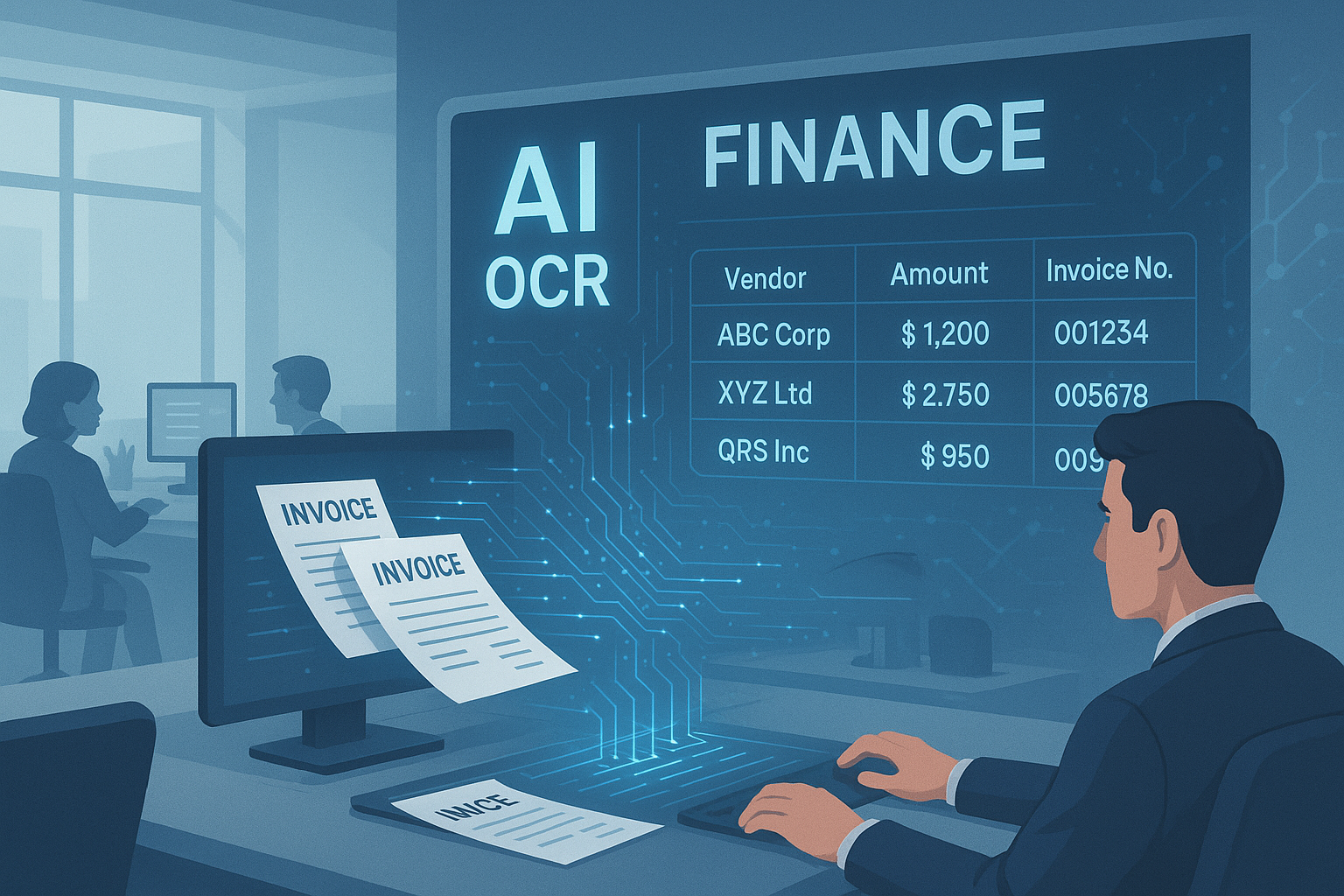
Table of contents
Accounts payable OCR reads supplier invoices (vendor, invoice number, dates, line items, tax, total) and sends the data to your AP system for approval and payment. Reading is the cheap part; the savings come from automatic checks, PO matching and a review queue for the invoices that fail them.
Accounts payable (AP) OCR replaces typing invoices by hand. It reads each invoice, checks the numbers against your vendor list and purchase orders, and sends clean invoices straight to approval while flagging the rest for a person. This page explains how it works, the checks that prevent wrong payments, what it saves using a cost model you can fill in, how accurate it is, and how to choose software.
What is accounts payable OCR?
Accounts payable OCR is software that reads supplier invoices, whether PDF, scan, photo or email, and turns them into structured fields such as vendor, invoice number, dates, line items, tax and total. Unlike plain OCR, which only returns text, AP OCR knows what each field means and checks it before the invoice reaches your AP or accounting system.
OCR stands for optical character recognition: turning an image of text into text. On its own that gives you a block of words. OCR for accounts payable adds three things on top: it finds the fields an AP clerk would type, it validates them (does the math add up, is this a duplicate, does it match a purchase order), and it routes each invoice either to approval or to a person. That is why teams also call it AP invoice OCR or OCR AP automation.
| Field it extracts | Where it usually appears | Check it should pass |
|---|---|---|
| Vendor name and tax ID | Header or letterhead | Matches one record in your vendor master |
| Invoice number | Header, often labeled "Invoice #" | Not already entered for this vendor |
| Invoice date and due date | Header | Due date agrees with the payment terms |
| PO number | Header or reference line | Exists, is open, and belongs to the same vendor |
| Line items (description, quantity, unit price, amount) | Table in the body, sometimes over several pages | Quantity times price equals each line amount |
| Tax, shipping, discounts | Below the line items | Rate is plausible for the vendor's location |
| Total and currency | Bottom of the last page | Lines plus tax minus discounts equal the total |
How does OCR for accounts payable work?
An AP OCR pipeline has six steps: intake, image clean-up, reading the layout, extracting fields, validating them, and routing the invoice. Clean invoices go straight to approval; the rest go to a review queue with the doubtful fields highlighted. The reading step gets the attention, but the validation step decides whether you can trust the result.
- Intake. Invoices arrive by email, supplier portal, scanner or upload. Email is the messiest channel, with forwarded threads and invoices in the email body; our email invoice parsing guide covers the traps.
- Clean-up. Straighten tilted scans, fix rotation, split files that contain several invoices.
- Layout reading. Find the header, the line-item table and the totals block, and read text in the right order, including tables that continue onto the next page. Our invoice line-item OCR guide shows where this breaks.
- Field extraction. Pull each field and normalize it: dates to one format, amounts to numbers, vendor names to vendor IDs.
- Validation. Run the checks in the next section.
- Routing. Invoices that pass go to approval or straight into your accounting system. Invoices that fail go to a person, with the reason shown.
What should AP OCR check before an invoice is paid?
At minimum: duplicates, the invoice math, the vendor, the purchase order, dates and terms, currency and tax, and the confidence of each field. These seven checks catch most wrong payments, whether the cause is an OCR misread, a supplier mistake or fraud.
| Check | What it catches | How to run it |
|---|---|---|
| 1. Duplicate | The same invoice paid twice, often after a resend | Look up vendor plus invoice number (normalized: no spaces, prefixes or leading zeros) and amount. See duplicate invoice detection. |
| 2. Math | Misread digits, dropped lines | Line amounts plus tax plus shipping minus discounts must equal the total, within a small rounding tolerance |
| 3. Vendor | Wrong vendor, fake vendor, changed bank details | Match to a vendor ID, never a name string; flag new vendors and any change in remittance details. See invoice fraud detection. |
| 4. Purchase order | Paying for goods not ordered or not received | 2-way match: invoice against PO (price, quantity). 3-way match: also against the goods receipt. See 3-way match automation. |
| 5. Dates and terms | Late fees, missed early-payment discounts | Recompute the due date from the invoice date and terms (for example net 30); see early payment discount capture |
| 6. Currency and tax | Wrong currency booked, wrong tax | Require a currency code; compare the tax rate with the vendor's usual rate. See multi-currency invoice OCR. |
| 7. Confidence | Fields the engine was unsure about | Send any field below your threshold to review, even if the math passes |
Invoices without a PO need a different path; our guide to non-PO invoice exception routing explains how to tell a real non-PO invoice from a missed PO number.
How much does accounts payable OCR save?
Ardent Partners' 2025 State of ePayables research puts the average cost to process an invoice at $9.84 for most AP teams, with best-in-class teams 79% lower, about $2.07 (9.84 x 0.21). OCR attacks the data-entry and exception part of that cost. How much you save depends on your volume, keying time and how many invoices still need review.
Use this cost model for the data-entry part. The inputs below are an example; replace each one with your own numbers.
| Input (example values) | Value |
|---|---|
| Invoices per month | 3,000 |
| Minutes to key one invoice by hand | 5 |
| Fully loaded AP clerk cost per hour | $40 |
| Pages per invoice | 2 |
| OCR price per page | $0.02 (DocsAPI's starting list price; other tools differ) |
| Share of invoices that still need review | 30% |
| Minutes to review one flagged invoice | 3 |
- Manual keying: 3,000 x 5 minutes = 15,000 minutes = 250 hours. 250 x $40 = $10,000 a month.
- OCR: 3,000 x 2 pages x $0.02 = $120. Review: 900 invoices x 3 minutes = 2,700 minutes = 45 hours, and 45 x $40 = $1,800. Total $1,920 a month.
- Difference: $10,000 minus $1,920 = $8,080 a month, and 205 hours freed for exceptions, vendor questions and close.
Two things move this number most: the review share (30% in the example; Ardent reports an average exception rate of 18.4% across AP teams) and whether you pay a subscription or implementation fee on top. Our invoice OCR business case guide covers how to present this to finance leadership, and our build vs buy guide covers the engineering cost if you assemble it yourself.
How accurate is OCR for accounts payable?
On clean, digital invoices, modern engines read printed text at 97 to 99% character accuracy in our benchmark. Line items are harder: the best engine in our benchmark extracted invoice line items at 93%, and general document parsers scored 81 to 87%. Accuracy drops on scans, photos, new vendors and multi-page tables, which is why validation matters.
| What we measured (our 2026 benchmark) | Result |
|---|---|
| Clean typed text, character accuracy, all tested engines | 97-99% |
| Invoice line items, DocsAPI | 93% |
| Invoice line items, LlamaParse | 87% |
| Invoice line items, Docling | 81% |
Two practical points. First, character accuracy is not field accuracy: one wrong digit in a 12-digit total is 99% character accuracy and a wrong payment. Measure fields, as our OCR accuracy metrics guide explains. Second, the number that drives cost is the touchless rate: the share of invoices that pass every check with no human touch. Measure it on your own invoices, split by repeat and new vendors. Full results are in our OCR accuracy benchmark.
Which accounts payable OCR software should you consider?
There are three kinds: AP automation suites that include OCR, approvals and payments; capture features built into your ERP or accounting system; and OCR or document APIs you connect yourself. Suites are fastest to start, ERP features avoid another vendor, and APIs give the most control but need engineering work.
| Type | Examples | You get | Watch for |
|---|---|---|---|
| AP automation suite | BILL, AvidXchange, Tipalti, Basware, Coupa | Intake, OCR, approvals, payments, supplier portal | Per-invoice or subscription pricing, contract minimums, how well it syncs with your ERP |
| ERP or accounting-system capture | NetSuite Bill Capture and similar built-in tools | Suggested bills inside the system you already use | Limits by country and file size; a person still confirms each bill |
| OCR or document API | AWS Textract AnalyzeExpense ($10 per 1,000 pages), Azure prebuilt invoice model ($10 per 1,000 pages), DocsAPI (from $0.02 per page) | Fields as JSON; you build checks, routing and posting | Engineering time for validation and the review queue |
If you are building on an API, our invoice OCR API comparison maps the field names and prices of AWS, Azure, Google, Mindee and Veryfi. For a vendor-by-vendor accounts payable OCR software comparison, see our best OCR software for accounts payable guide. If you are connecting OCR to a specific system, start with our guides for QuickBooks, Xero, NetSuite and SAP.
What other accounts payable documents can OCR read?
Beyond invoices, accounts payable documents OCR commonly handles credit memos, receipts for expense reports, purchase orders, delivery notes (goods receipts) for 3-way matching, and vendor statements used to reconcile what you owe. Each has its own fields, so check that your tool supports the ones you process, not only invoices. Handwritten or faxed invoices are the hardest case; see our handwritten and faxed invoice guide.
How do you roll out AP OCR without risking wrong payments?
Run OCR alongside your current process first, compare every field, and switch over vendor by vendor. Keep your approval rules unchanged until the numbers prove the automation is right.
- Pull your top 20 vendors by invoice count; they are usually well over half your volume.
- Run their last month of invoices through the tool and compare every field against what your team keyed.
- Turn on the seven checks above and look at what each one flags.
- Run in parallel for at least one month-end close. Our parallel run sample size guide shows how many invoices you need to check to trust the result.
- Switch those vendors to automatic, keep new vendors in review until they prove stable, then expand.
What to do next
- Under a few hundred invoices a month: the capture tool in your accounting system or a small AP suite is usually enough.
- Thousands a month, standard ERP: shortlist two suites and one API, and run your worst 20 invoices through each.
- You have developers and want control: see how DocsAPI handles invoice processing and test the free tier on your own invoices.
- You process receipts and purchase orders too: our guide to OCR for invoices, receipts and purchase orders covers each document type.
Sources and how we checked this
- Invoice processing cost, processing time and exception rates: Ardent Partners, State of ePayables 2025, AP benchmarks and best-in-class performance (January 22, 2026).
- API prices: Amazon Textract pricing (US West, Oregon) and Microsoft's public retail prices for Azure AI Document Intelligence (East US), checked September 28, 2026. DocsAPI's price is from our own published pricing.
- NetSuite Bill Capture limits: Oracle's Bill Capture considerations.
- Accuracy numbers: our 2026 OCR accuracy benchmark. The cost model uses example inputs, labeled as such; replace them with your own.
Frequently asked questions
Software that reads supplier invoices and turns them into fields such as vendor, invoice number, dates, line items, tax and total, then checks those fields and sends the invoice to approval or to a person. Plain OCR only returns text; AP OCR knows what each field means and validates it.
Regular OCR returns the words on the page. AP OCR finds the specific fields an AP clerk would type, matches the vendor and purchase order, checks the math and duplicates, and routes invoices that fail to a review queue. The reading is similar; the checks and routing are what make it safe to pay from.
It depends on volume, keying time and review share. In our example, 3,000 invoices a month at 5 minutes each and $40 an hour cost $10,000 to key; OCR plus reviewing 30% of invoices cost $1,920. Ardent Partners reports $9.84 per invoice for typical AP teams and about 79% less for the best.
On clean digital invoices, printed text is read at 97 to 99% character accuracy in our benchmark. Line items are harder: 93% for the best engine we tested and 81 to 87% for general document parsers. Scans, photos and new vendors lower accuracy, so automatic checks and a review queue are essential.
The share of invoices that go from receipt to approval with no human touch because every field passed its checks. It drives cost more than raw OCR accuracy. Ardent Partners reports an average exception rate of 18.4% across AP teams, with best-in-class teams 47% lower.
It can catch most of them if you run a duplicate check on vendor plus a normalized invoice number plus amount before approval. Normalizing matters: INV-0042, inv 42 and 0042 are the same invoice. Also flag any change in a vendor's bank details, which is a common fraud pattern.
A suite if you want intake, approvals and payments in one product with little engineering. An OCR or document API if you have developers, want control over checks and routing, or need to fit an unusual workflow. Many mid-size teams start with the capture feature inside their accounting system.
Yes, but each system expects different fields and IDs, and most failures happen in that mapping, not in the OCR. Our separate guides cover the QuickBooks Bill object, Xero ACCPAY invoices, NetSuite vendor bills and SAP invoice posting in detail.
Plan for at least one full month-end close in parallel with your current process, plus the time to connect your accounting system. Start with your top 20 vendors, compare every field, then move vendors to automatic one group at a time while new vendors stay in review.
Related Blog Posts
Best OCR Software for Accounts Payable (2026 Buyer Guide)
We trialed 8 AP OCR tools on 200 real invoices across QuickBooks, NetSuite, and SAP stacks. The 2026 buyer's guide, who wins on touchless rate, ERP integration, and total cost.
OCR in Finance: The 2026 Pillar Guide (Tools, Cost, Accuracy)
OCR in finance handles invoices, bank statements, tax forms, loan packets, and IDs at 92-99% accuracy and under $0.05 per page. The pillar guide, what it does, the tools that work, and the cost math from production.
OCR in Finance: 5 Vendors to 1, $340K to $95K
A $200M fintech ran five disconnected OCR vendors and paid $340K a year for it. Consolidating to one pipeline cut that to $95K and lifted touchless processing from 41% to 78%.
Want to see it on your own documents?
Try our free OCR tool in your browser, or book a demo to see how DocsAPI reads the document types covered in this guide.