
PDF Parser Online: Why Most Tools Mangle Tables
Our first PDF parser mangled every single bank statement table. Six months later we shipped one that didn't. Here is what we learned about why most parsers break, and how to pick one that won't.

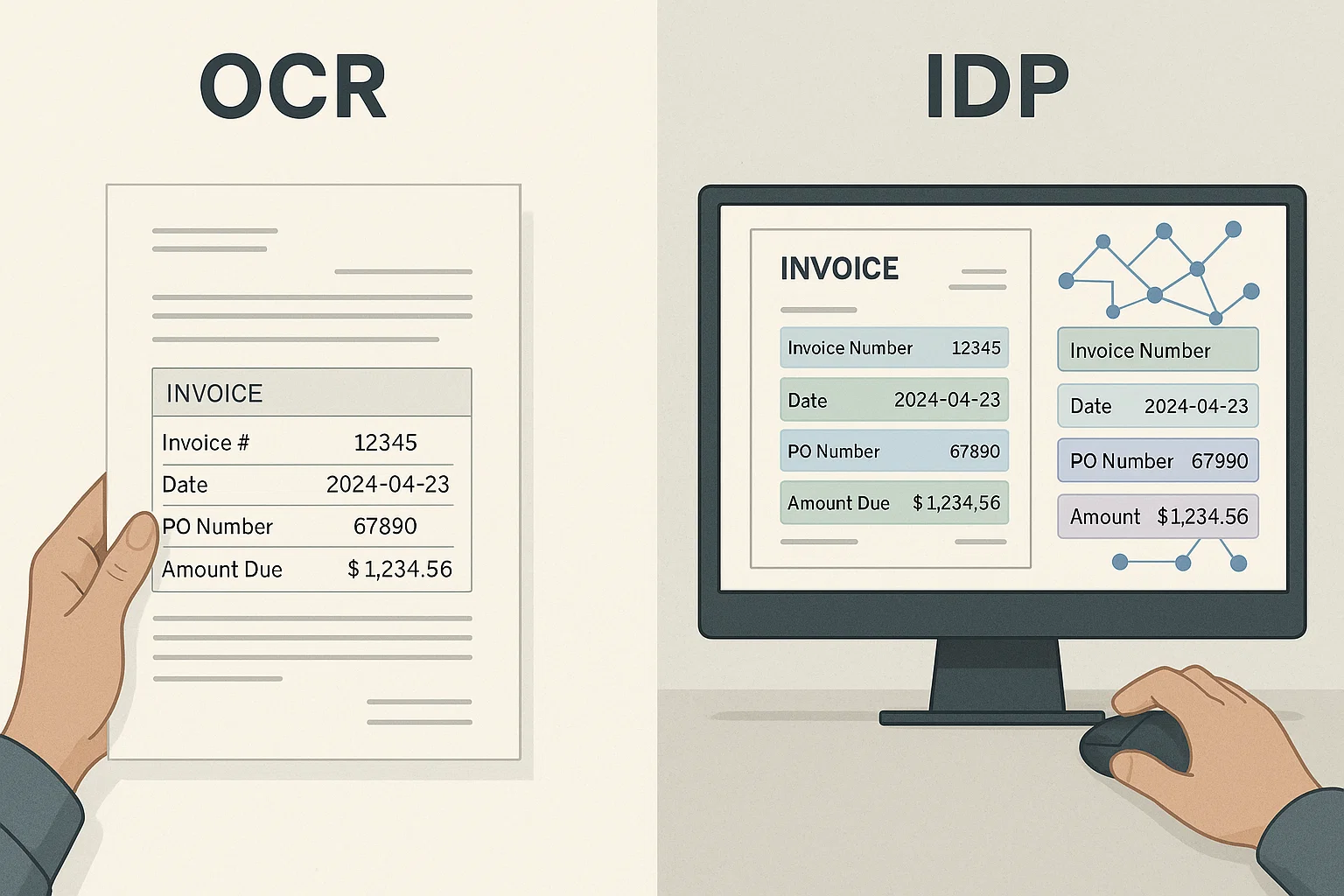
Table of contents
The first version of our PDF parser worked beautifully on regular text and mangled every single bank statement we threw at it. Six months later, after rewriting the table extraction three times, we shipped one that did not mangle them. This guide is what we learned along the way.
If you are picking a PDF parser for any document with tables, invoices, bank statements, forms, financial reports, lab results, read this before you commit. Most tools fail on the exact thing you need them for.
What "Parse a PDF" Actually Means
A PDF parser takes a PDF and pulls out the content as structured data. Not just text, structured. The difference matters.
If you have a bank statement, you do not just want a wall of text. You want a table with date, description, debit, credit, and balance as columns. You want to drop that table into a spreadsheet or pipe it into your accounting system. A parser that gives you a wall of text has technically extracted content, but it has not parsed.
So a real PDF parser does three jobs:
- Reads all the text on the page (this is OCR for image PDFs, or direct extraction for readable PDFs).
- Understands the layout, where the columns are, what is a table, what is a paragraph, what is a header.
- Outputs structured data that downstream systems can use, JSON, CSV, XML, whatever fits.
The first job is mostly solved. Tesseract has been doing it for 20 years. The second job is where everything falls apart. And that is what this article is about.
Why Tables Break Most PDF Parsers
Here is the dirty secret of PDFs. The PDF format does not actually know what a table is. There is no "this is a table" tag. There are just letters and numbers placed at specific x-y coordinates on the page. When you see a table, your eyes infer the rows and columns from the positions.
A simple parser reads top-to-bottom, left-to-right. For paragraphs, that works. For a multi-column table, it does not. You get:
"1/3 Coffee 4.50 250.00 1/4 Lunch 12.00 238.00 1/5 Gas 45.00 193.00"
Instead of a clean three-column table. Now your downstream code has to guess which numbers are dates, which are amounts, which are balances. It will guess wrong sometimes. Money will go to the wrong place. (This is the exact failure I described in our honest guide from 4M pages a month.)
The fix is layout-aware parsing. The parser first detects table boundaries (column edges, row separators, alignment patterns). Then it extracts text inside each cell separately. Then it assembles the row-column structure. This is a real engineering project, which is why most free parsers do not bother.
How a real layout-aware parser actually finds columns
"Layout-aware parsing" sounds like a black box until you look at how an actual open-source tool does it. Camelot's Stream extraction method, built on top of PDFMiner, is a genuinely instructive example because its logic is documented and inspectable, not hidden behind a vendor API. It works in four concrete steps, and understanding them explains both why layout-aware parsing works and why it still fails on the hardest tables.
Step one: group every word on the page into text rows based on vertical, y-axis, overlap. Words that sit at roughly the same height on the page get bucketed into the same row, regardless of their horizontal position. Step two: compute what Camelot calls text edges, candidate boundaries where a real table region probably starts and ends, based on where rows of text align consistently across multiple lines. Step three: within a detected table region, estimate how many columns actually exist by looking at how consistently word positions cluster into vertical bands across the grouped rows. Step four: refine the actual x-coordinate range of each column boundary by checking which specific words fall inside versus outside each candidate band, then expand the table's boundaries outward using gaps, stretches of the page with no text, as a signal for where the table genuinely ends.
This four-step process is why layout-aware parsing correctly handles borderless tables, since the whole method is built around inferring structure from word position rather than depending on drawn boundaries at all. It is also exactly why merged cells still cause trouble: a merged header spanning three columns produces a row where the column-count estimate from step three genuinely disagrees with the column count in every row beneath it, and no amount of gap detection resolves that disagreement automatically. It needs an explicit merged-cell handling rule layered on top of the base four-step process.
A concrete illustration: a three-column bank statement table, date, description, amount, might show word x-coordinates clustering around 72pt, 180pt, and 480pt across dozens of rows, three visually invisible but numerically obvious bands once you look at where text actually sits. A naive parser reading left-to-right, top-to-bottom never computes this clustering at all, it just emits words in the order they appear in the page's underlying content stream, which frequently does not match left-to-right reading order for multi-column layouts to begin with. That mismatch, not the visual absence of table borders, is the more fundamental cause of scrambled output.
One more distinction worth understanding: this method, like most PDF-native table extractors, operates on text that already has known coordinates because the PDF format stores them directly, which works only for readable, text-layer PDFs. For a scanned or photographed table with no underlying text layer, the same four-step logic still applies, but the input coordinates come from OCR's own text-detection stage instead of the PDF's native text positions, which is why table extraction accuracy on scanned documents depends on OCR bounding-box precision in a way that native-PDF extraction never has to worry about. A slightly misaligned OCR bounding box shifts a word's assumed column just enough to break the column-count estimate in step three, a failure mode with no equivalent in the text-layer case.
The Four Patterns of Table That Break Different Parsers
Tables are not all the same. From our test set, these four patterns each break parsers differently:
Pattern 1: Plain Tables With Visible Borders
The easiest case. Every cell has a visible border. The parser can detect cell edges from the line drawings in the PDF. Most decent parsers handle these correctly. About 30% of real tables look like this.
Pattern 2: Tables Without Borders
The numbers and text line up visually but there are no lines drawn. Your eyes see the columns; the parser sees text positions. The parser has to infer column boundaries from x-coordinate clustering. Some parsers do this; many do not. About 50% of real tables look like this.
Pattern 3: Tables With Merged Cells
A header cell spans three columns. A "subtotal" cell merges two rows. Your eyes follow the structure; the parser gets confused about which cell belongs to which row. Layout-aware parsers handle merged cells; naive parsers split them and produce duplicate or empty entries. About 15% of real tables.
Pattern 4: Multi-Page Tables
A bank statement table that runs across 12 pages, with headers repeated on each page. A good parser recognizes that the row structure continues across pages. A bad one treats each page as a separate table and breaks the row continuity. About 5% of real tables, but they include the highest-stakes documents.
The Online PDF Parsers I Have Tested
Honest, brief verdicts:
Adobe Acrobat Online
Decent on simple tables, struggles on borderless and merged-cell tables. Layout preservation is the best in class. Expensive after the free trial. Best for one-off small jobs.
SmallPDF, ILovePDF, and the Aggregator Sites
These mostly export the PDF as Word or Excel. The exports usually scramble tables in the same naive top-to-bottom way I described above. Fine for paragraphs. Bad for any document where columns matter.
Camelot and Tabula (Open Source)
Good libraries for developers. Camelot uses computer vision to detect tables; Tabula uses a Java engine. Both work well on bordered tables and struggle on borderless ones. Free, but you need a developer to use them.
AWS Textract
Strong table parsing. Handles borderless tables well, merged cells okay, multi-page tables reliably. Pay-per-page. Best fit if you live in AWS. Textract's table detection follows the same conceptual row-and-column clustering logic described above, but runs its own proprietary model rather than the open, inspectable Camelot approach, which is why its merged-cell and multi-page handling is generally stronger out of the box.
DocsAPI
Honest disclosure: my product. Layout-aware parsing built specifically for the failure cases above. Handles all four table patterns, including multi-page bank statements. Outputs JSON ready for downstream systems. Try it on a real document at /products.
Why understanding the mechanism changes how you evaluate a parser
Knowing that layout-aware parsing works through row grouping, edge detection, column-count estimation, and boundary refinement, rather than some undifferentiated "AI magic," changes what questions are actually worth asking a vendor. Instead of asking whether a parser "handles tables," ask specifically whether it handles borderless tables, since that is the case the whole four-step method exists to solve. Instead of asking about accuracy generally, ask about merged-cell handling specifically, since that is the documented edge case where column-count estimation alone is not enough. A vendor who can answer these specific questions understands their own tool's actual mechanism; a vendor who can only repeat a blended accuracy percentage likely does not.
How to Test a PDF Parser Before You Commit
Do not trust the marketing demos. Run this test instead:
- Pick 10 of your real documents. Not the parser vendor's demo files, yours.
- Include at least one document with each of the four table patterns above.
- Run each document through the parser.
- Count: how many rows came out correctly? How many tables are usable as-is? How many require manual cleanup?
If you cannot run real documents through the parser before paying, that is a flag. Reputable parsers offer a free tier or a credit so you can validate before commitment.
The Cost of Bad Table Parsing
This is where most teams underestimate the impact. A parser that scrambles 10% of tables sounds tolerable. It is not.
Imagine you process 10,000 bank statements a month. 10% bad table parsing means 1,000 statements need manual cleanup. Each takes an analyst 10 minutes. That is 167 hours per month, about one full-time analyst doing nothing but fixing parser output. At $30/hour, that is $5,000 a month in hidden cost.
A good parser at $0.05 per page would cost $500 for 10,000 pages. The "expensive" good parser is ten times cheaper than the "free" bad one once you account for the cleanup cost. (More on this in our normalization piece.)
The Three Things to Look For in a Good Parser
If you skim the rest of this article, look for these three features:
- Layout-aware parsing. The parser detects table boundaries before extracting text. Marketing language to look for: "layout-aware", "structure-preserving", "table detection".
- Structured output (JSON or CSV). Not just text. The parser should give you row-column structure as data.
- Multi-page table handling. Tables that span pages should reconnect into a single logical table.
If the parser does not advertise these three things, it is almost certainly not going to handle real tables well.
The Way I Explain Parsers to Non-Engineers
Imagine you hire someone to read every page of a book and tell you what is on each page. A bad reader just types out every word, line by line. You get a wall of text. You cannot tell where chapters start, where the index is, or where the recipes are.
A good reader understands the book. She tells you "Chapter 1 starts on page 7. The index is on page 240. Here is the recipe for chocolate cake, with ingredients in one column and instructions in another."
A PDF parser is the same. A bad parser gives you text. A good parser gives you structure. The difference is what your downstream systems can actually use.
What I'd Do Today
If you are parsing simple, paragraph-heavy documents: any free tool will do. SmallPDF, ILovePDF, Adobe Online. Pick one and move on.
If you are parsing tables, forms, or anything structured: do not waste time on free parsers. Pay for a layout-aware engine, AWS Textract, Google Document AI, or DocsAPI. The cost is trivial compared to the cleanup time you save.
If you are building something production: test 10 real documents with each candidate before paying. The marketing demos are always optimistic. Your documents are always messier. (I have written about this realistic testing approach many times.)
Frequently asked questions
Most parsers read top-to-bottom, left-to-right. For a multi-column table, that scrambles row structure. Fix: layout-aware parsing, engines that detect table boundaries before reading. AWS Textract, Google Document AI, and DocsAPI do this.
For paragraphs: Google Drive's OCR trick. For tables: no good free option, free tools all scramble columns to some degree. If tables matter, paid parsers ($0.02-$0.05/page) save more than they cost.
Good ones, yes. They detect that a table on page 7 continues on page 8 and stitch rows together. Naive parsers treat each page as a separate table, breaking row continuity on multi-page bank statements.
JSON or CSV for structured data. Plain text is rarely useful for tables. Look for parsers that output one structured row per table row, with consistent column keys across rows.
Run 10 of your real documents through the parser's free tier or trial. Count how many rows come out correctly and how many require cleanup. Marketing demos always look perfect; your documents almost never do.
Tables without borders, with merged cells, or spanning multiple pages are dramatically harder to parse. Naive parsers handle bordered single-page tables fine and fail on the others. Layout-aware parsers handle all four patterns.
Related Blog Posts
How to Make a PDF Searchable in 30 Seconds (No Acrobat)
Your PDF won't let you search inside it? Here is the 30-second fix, the four traps that silently break it, and a simple kid-friendly explanation of what's actually happening.
Readable PDF vs Image PDF: How to Tell the Difference Fast
Your PDF looks normal but Ctrl+F finds nothing. That means it is an image PDF, not a readable one. Here is the 2-second test and the simple fix.
OCR a PDF: 4M-Pages-a-Month Lessons From Production (2026)
Everything I learned running OCR on 4 million PDF pages a month, what breaks, what works, and the engineering corners marketing decks always skip.
Ready to Transform Your Lending Process?
See how DocsAPI's AI-powered industry classification can help you process loans faster, improve accuracy, and scale your operations.