PDF Text Recognition: When Tesseract Fails and What to Use
Tesseract is wonderful until it isn't. The four document categories where it breaks every time and the simple alternatives that work better.

Table of contents
I love Tesseract. It is free. It is open source. It has been around longer than my career. We ran a Tesseract-based pipeline for the first 18 months of our document API. Then, around month 14, the failure rate on certain document categories started costing us more in customer support tickets than the engine saved us in licensing fees. This guide is the honest version of when Tesseract stops being the right answer.
What "PDF Text Recognition" Actually Means
PDF text recognition is the simple-sounding job of taking a PDF and pulling the readable words out. If the PDF was made on a computer (typed in Word, exported from a website, etc.), the words are already in there as real text. No recognition needed, just open and read.
The interesting case is when the PDF is a stack of pictures. Maybe it was scanned. Maybe it came from a fax. Maybe a phone took photos and saved them as a PDF. The pages look like words but the file does not contain any actual letters, just colored pixels.
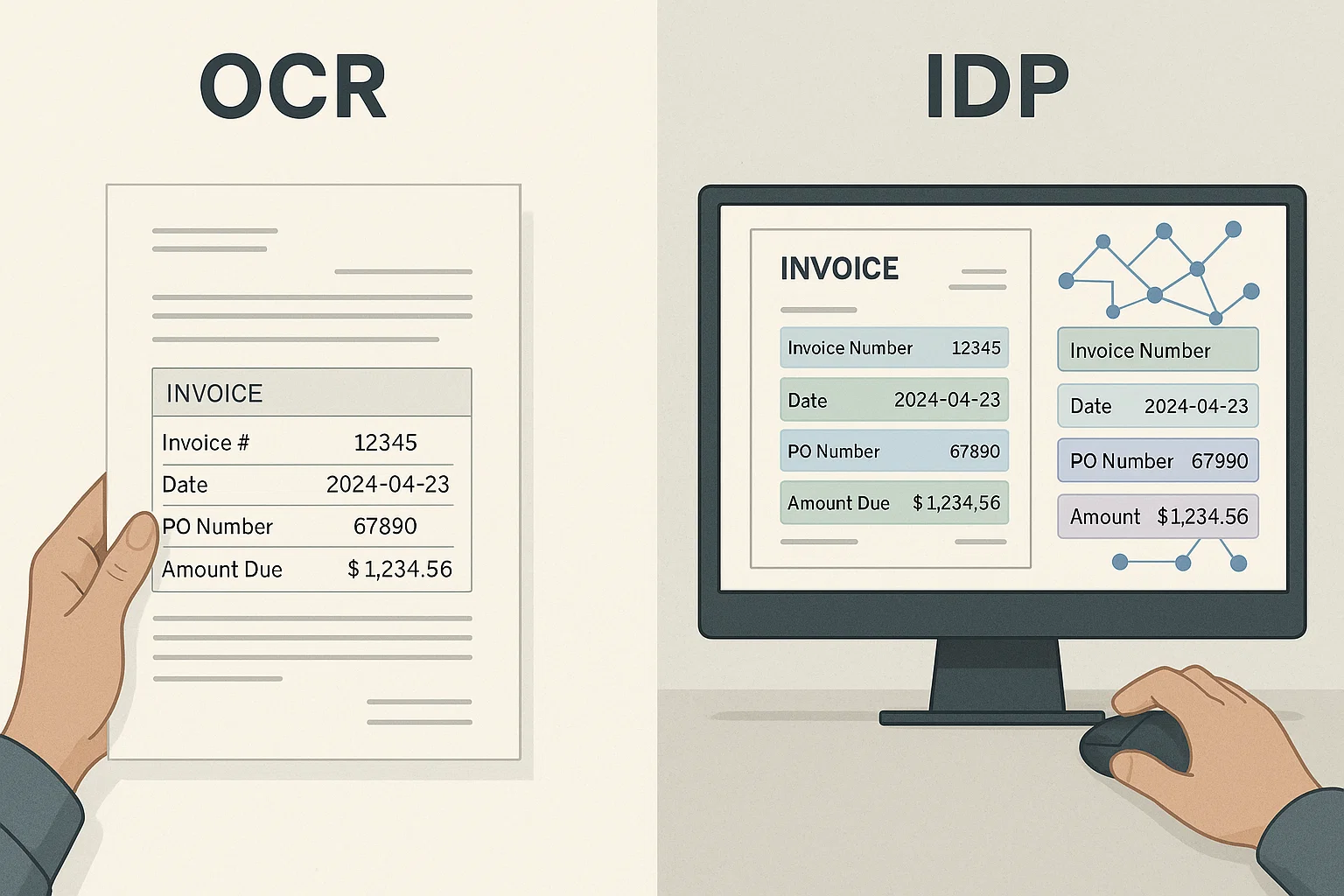
To find the words, you run an OCR engine. OCR stands for Optical Character Recognition, which is a fancy way of saying "looks at pictures of letters and recognizes them as letters." Tesseract is the most popular free OCR engine. It powers about 80% of the free OCR tools you have ever used.
If this whole topic is new to you, our make a PDF searchable guide is the friendly starting point. This article assumes you have already tried Tesseract and want to know when it is not enough.
Where Tesseract Is Genuinely Great
Be honest about Tesseract's strengths before discussing its weaknesses. On clean, printed English at 300 DPI, Tesseract 5+ hits 97-99% character accuracy. That is excellent. It is free. It runs on a laptop. The community has answered most of the common questions over 20 years.
For 80% of one-off PDF text recognition jobs, Tesseract is the right tool. If you have a single document, a personal project, or a small recurring task, do not pay for an API. The free engine will probably do the job.
The trouble starts when you have variance. Documents from multiple sources. Mixed scan quality. Tables. Foreign languages. Forms with handwritten fields. The accuracy starts dropping in ways that compound through the pipeline. The cost of fixing OCR errors downstream usually exceeds the cost of a better engine, but you only see that math after the painful migration. We learned the hard way and wrote about it in our honest guide from 4M pages a month.
The Four Document Categories Where Tesseract Falls Apart
Across more than 200,000 documents through our old pipeline, four categories had failure rates above 15%. If your documents look like any of these, expect trouble:
1. Tables and Multi-Column Layouts
Tesseract reads top-to-bottom, left-to-right. A two-column legal brief becomes word salad: line 1 of column 1, then line 1 of column 2, then line 2 of column 1. A reader can sometimes reconstruct the meaning. Downstream code cannot. It just sees scrambled output.
The fix is layout-aware OCR. The engine detects column boundaries and table structure before reading. AWS Textract does this well for forms; we built layout-aware extraction into DocsAPI specifically because Tesseract could not. Same fundamental issue is discussed in our PDF parser breakdown.
2. Handwritten Text
Tesseract supports handwriting via its legacy LSTM model. Real-world accuracy is below 70% in our testing. Doctors' notes, signed forms, and check fields are the worst. Modern alternatives, Google Document AI, Azure Form Recognizer, and vision-language models, clear 85-90% on neat handwriting. Still not perfect, but the gap matters when your documents include any handwritten content.
If your workflow has even occasional handwriting (a signature, a hand-filled date, a written note), Tesseract alone will frustrate you. Hybrid pipelines that route handwritten regions to a different engine work well.
3. Foreign Languages and Mixed Scripts
Tesseract supports 100+ languages, but you have to specify which language(s) a document is in. A multilingual document, English headers, Mandarin line items, Arabic stamps, requires running multiple language packs or doing per-region detection. Few teams get this right.
Modern engines auto-detect language per region and switch models on the fly. If your documents cross borders, this single feature can lift accuracy 10+ points overnight.
4. Faded, Low-Contrast Scans
Thermal-paper receipts, old archives, photocopied generations, the contrast is low enough that Tesseract either skips text or hallucinates it. Adaptive thresholding (a pre-processing step) recovers most of this. Tesseract does not include it by default; modern OCR APIs do.
If your inputs are mostly receipts or aged archival material, no engine choice will save you without proper pre-processing. The good news: pre-processing usually does save you.
What to Use Instead, The Honest Comparison
It depends on which failure mode you hit. Here is a table I keep on my desk:
| Failure mode | Best alternative | Approximate cost |
|---|---|---|
| Tables and forms | AWS Textract or DocsAPI extraction | $0.015-$0.05 per page |
| Handwritten text | Google Document AI or VLM (Claude/GPT vision) | $0.05-$0.10 per page (VLM higher) |
| Foreign languages | Azure or DocsAPI with auto language detection | $0.01-$0.03 per page |
| Faded scans | Any modern API (adaptive thresholding built-in) | Standard pricing |
| Complex layouts | Layout-aware OCR (DocsAPI, Textract) | $0.02-$0.05 per page |
The realistic answer for most production teams: keep Tesseract for the easy 70% of your traffic, route the hard 30% to a paid API. Hybrid is cheaper than running everything through a paid API and more reliable than running everything through Tesseract. Our PaddleOCR vs Tesseract vs DocsAPI piece goes deeper on the open-source side.
The Pre-Processing That Recovers Most Tesseract Failures
Before you give up on Tesseract, try these five steps in order. Each takes minutes to add and recovers measurable accuracy:
- Deskew. Run
ocrmypdf --deskew. Recovers 2-4 percentage points on tilted scans. - Rotation correction. Auto-detect each page's orientation. Recovers 10+ points on rotated documents.
- Adaptive thresholding. Pre-process the image before OCR using OpenCV. Recovers 3-5 points on low-contrast scans.
- Resolution upscaling. If the source is below 200 DPI, upscale before OCR. Recovers 2-3 points.
- Language hints. Pass
-l eng+spafor known multilingual content. Recovers 5+ points on multilingual documents.
After all five, Tesseract's accuracy on hard documents typically climbs from 75% to 90%+. The remaining 10% is where layout-aware engines pull ahead. Document detection covers the auto-rotation step in more depth.
Why "Free" OCR Is Often the Most Expensive Choice
The math that traps teams: Tesseract is free. A paid API is $0.02 per page. For 10,000 pages a month, the API costs $200 and Tesseract costs $0. Obvious choice, right?
Not really. With Tesseract you also need:
- An engineer to set up the pipeline (a few days).
- An engineer to maintain it as your documents shift (a day or two per month).
- A manual review workflow to catch the OCR errors that slip through (hours of analyst time per week).
- Occasional emergency fixes when a new vendor sends a weird format and accuracy tanks.
Add the engineer hours at $100-200 each and the analyst time at $30 each. The "free" pipeline runs $2,000-4,000 a month in hidden cost. The API at $200 is the cheaper option by a factor of ten.
This calculation flips somewhere around 100K-500K pages per month, when API costs grow linearly but engineering effort stays constant. Past that scale, owning the pipeline starts paying off. Below it, "free" Tesseract is usually the more expensive option. Run your own numbers honestly.
The Simple Way to Explain OCR Engines to Non-Tech People
Imagine OCR engines are different employees who can all read a stack of mail and type it into a computer:
- Tesseract is the volunteer intern. Free. Works hard. Great with neat, typed letters. Confused by messy handwriting, foreign languages, and tables. Doesn't complain when you give him junk.
- Textract is the office veteran who has typed thousands of forms. Charges by the form. Excellent with tables and forms. Gets stuck on weird letters.
- Google Document AI is the IT-savvy intern who reads forms and IDs fast. Charges similar to Textract. Tied into the Google ecosystem.
- Vision-language models (Claude, GPT) are the brilliant analysts you hire by the hour. They can read anything, understand context, and explain what they read. Expensive. Slow. Wonderful for the trickiest 5% of your documents.
- DocsAPI is the full-service back office. Reads everything, organizes it into structured output, sends it to your systems. Per-page price. Less work for you.
Pick the employee that fits your job. Do not over-hire for simple work. Do not under-hire for messy work.
What I'd Do Today
Run Tesseract on a representative sample of your real documents, not the clean demo PDFs, the messy ones from your inbox. Measure accuracy honestly. If you clear 95% on the field-level data you care about, keep Tesseract and move on. If you are below 90%, the cost of fixing OCR errors downstream almost always exceeds the marginal cost of a paid API.
The single most common mistake: teams use Tesseract because it is free, accept 85% accuracy, and then build elaborate manual review workflows to catch the 15% errors. That review workflow costs more than the API would have. Run the math before you commit. (I write about these tradeoffs a lot.)
Frequently asked questions
For most use cases, yes. PaddleOCR is strong for multi-language and table-heavy work. EasyOCR is friendlier to install but less battle-tested. Tesseract has the deepest community, broadest language support, and longest track record.
Partially. Pass --psm 6 or pre-process with OpenCV to detect table boundaries and OCR each cell separately. It's a real engineering project. If tables are central, a layout-aware engine pays for itself fast.
When you spend more than half a day per month on OCR bugs and rework. For most teams that's around 5,000 documents/month with mixed quality. Below that Tesseract is fine; above that, engineering cost dominates.
Install ocrmypdf via Homebrew on Mac, apt-get on Linux, or chocolatey on Windows. It wraps Tesseract with sensible defaults. Two commands and you have a working pipeline.
For small batches and complex layouts, yes. For high-volume production, cost and speed make pure VLM impractical today. Hybrid pipelines, fast OCR for bulk, VLM for trickiest 5-10%, are the realistic 2026 pattern.
Rotation correction was skipped. Tesseract reads as if every page is upright. A sideways page produces sideways gibberish. Add --rotate-pages or pre-rotate with another tool before OCR.
Related Blog Posts
How to Make a PDF Searchable in 30 Seconds (No Acrobat)
Your PDF won't let you search inside it? Here is the 30-second fix, the four traps that silently break it, and a simple kid-friendly explanation of what's actually happening.
OCR a PDF: 4M-Pages-a-Month Lessons From Production (2026)
Everything I learned running OCR on 4 million PDF pages a month, what breaks, what works, and the engineering corners marketing decks always skip.
Readable PDF vs Image PDF: How to Tell the Difference Fast
Your PDF looks normal but Ctrl+F finds nothing. That means it is an image PDF, not a readable one. Here is the 2-second test and the simple fix.
Ready to Transform Your Lending Process?
See how DocsAPI's AI-powered industry classification can help you process loans faster, improve accuracy, and scale your operations.