
What Is Zonal OCR? Where Fixed Zones Break, Tested
 Nupura Ughade

Zonal OCR reads fixed rectangles from a template. In 640 synthetic invoices read with Tesseract 5.5.2, zones were 97.2% right when aligned, 0% after a 1.7 mm shift (tight) or a 5% size change, and wrong on every total when the table length changed. Finding fields by label stayed above 96% through shifts and scale changes.
Zonal OCR reads only the rectangles you draw on a template, so it is accurate on a form that never moves and fails the moment the page does. In our test of 640 invoices, zones reached 97.2% of fields correct when the page matched the template exactly. A shift of 1.7 millimetres took tight zones to 0%. A tilt of 2 degrees took padded zones to 68.8%. A scan 5% larger or smaller took every zone to 0% or close to it. Reading the label first and taking the value beside it stayed above 96% through every shift and scale change we tried.
That does not make zonal OCR bad. It makes it a method with a clear operating range, and this guide measures the range. Everything is Tesseract 5.5.2 on synthetic invoices, so the percentages rank the methods rather than predict your accuracy. There is also a script at the end, which we ran, that finds a field by its label instead of its position.
What is zonal OCR and how does it work?
Zonal OCR, also called template OCR, means you tell the software where to look. Someone opens one sample document, draws a rectangle around each field they want (invoice number, date, total), and saves those rectangles as a template. For every later document of the same type, the software cuts out those rectangles and reads only what is inside them. Nothing else on the page is read, and nothing tries to understand what the page means.
The appeal is easy to see. Each rectangle holds one short line, so the engine has a small, simple job. The field name is the rectangle itself, so there is no step that has to guess which number is the total. You can also see exactly what the system will do, because the rules are coordinates, not a model.
The weakness is the same fact seen from the other side. A coordinate says where a field was on the sample, not where it is on this page. If the paper sits a little differently on the scanner, if a phone photo is taken from a different distance, or if a table above the field has more rows, the rectangle lands on the wrong ink. The software does not know that. It reads whatever is there and returns it as the answer.
Zonal OCR sits at the simple end of the options for pulling fields from a page. The other end, finding a field by what it means and where it sits relative to other text, is covered in OCR layout analysis and key-value extraction, and the trade-offs for invoices specifically are in rules-based versus AI invoice extraction. This guide measures one question those pages describe only in words: how far can a page move before a template stops working?
How did we test zonal OCR?
We generated invoices as 300 DPI images, 8.5 by 11 inches, in Arial. Each has eight fields with known values: invoice number, invoice date, customer, PO number, due date, subtotal, tax and total. Five sit in a header block beside their labels. Three sit in a totals block beside their labels, under a table of line items. We then built a template from one sample invoice and read 640 new invoices four ways:
- Tight zones: the template rectangles with 6 pixels of margin, each read as a single line.
- Padded zones: the same rectangles with 25 pixels of margin (about 2 millimetres), which is the usual advice for forgiving small shifts.
- Zones moved by labels: read the whole page once, find the header labels, work out how far they moved from the template, and move every rectangle by that amount before reading. This is the standard fix for a shifted scan.
- Label-anchored: read the whole page once, find each field's label, and take the words to its right on the same line. No coordinates from a template are used at all.
The 640 invoices are 16 conditions of 40 invoices each: a perfect match, four shifts (10, 20, 40 and 80 pixels in both directions, which is 0.85, 1.7, 3.4 and 6.8 millimetres), three tilts (1, 2 and 3 degrees), four scale changes (90%, 95%, 105% and 110%), three table lengths (3, 9 and 12 rows against a template made from 6 rows), and a 6-row control in the same floating layout. Every invoice got light blur and noise. A field counts as right only if the text matches exactly. That is 5,120 field reads per method, or 20,480 in total.
Two limits up front. These are clean synthetic invoices with one font and no logos, stamps or colour, and the tilt, shift and scale are applied to a clean page, which is kinder than a real scan. And we used Tesseract for everything, so none of this measures a commercial extraction product.
How accurate is zonal OCR when the page matches the template?
Very accurate, though not perfect. With the page exactly where the template expects it, tight zones got 97.2% of fields right, padded zones 98.8%, and zones moved by labels 96.9%. Label-anchored extraction got 99.7%.
Most of the zonal misses were one field. The customer name was wrong in 6 of 40 invoices with tight zones and 3 of 40 with padded zones, while every other field was almost always right. Our reading is that a tight rectangle clips the edge of a wide letter or a descender, but we did not check each crop. The practical point is small and cheap to act on: a little margin helped, from 97.2% to 98.8%.
The label-anchored method missed one field out of 320 in this condition, a subtotal. The reason it can match zones with no template is that on these invoices every value sits on the same line as its label. Where the label sits above the value or the value is in a different column, a simple line rule like ours would fail, and that is the case the layout guide above covers.
How far can a page shift before the zones fail?
Not far. This table shows the share of fields read correctly as the whole page is moved down and to the right by the same distance on both axes:
| Shift (each axis) | Tight zones | Padded zones | Zones moved by labels | Label-anchored |
|---|---|---|---|---|
| None | 97.2% | 98.8% | 96.9% | 99.7% |
| 10 px (0.85 mm) | 76.6% | 98.1% | 96.6% | 99.4% |
| 20 px (1.7 mm) | 0.0% | 96.2% | 96.6% | 100.0% |
| 40 px (3.4 mm) | 0.0% | 0.0% | 97.5% | 100.0% |
| 80 px (6.8 mm) | 0.0% | 0.0% | 97.5% | 99.7% |
Tight zones were already failing at under a millimetre. Padded zones lasted a little under 2 millimetres and then dropped to nothing, because by 3.4 millimetres the rectangle had moved off the text entirely. There was no gradual fade, which is the dangerous part: a system that was 96% accurate at one scan position is at 0% at the next, with the same software and the same settings.
Moving the zones by the labels' offset fixed shifts completely, holding at 96.6% to 97.5% all the way to 6.8 millimetres. If your only problem is that pages land at slightly different positions, this is the cheapest repair in the table. Its cost is one whole-page read, which is also what the label-anchored method needs, so at that point the template adds little.
What does a small tilt do to zonal OCR?
A tilt is much harder on zones than a shift, and the repair that worked for shifts made it worse. Faxed invoices often arrive tilted and noisy, which is the case in handwritten and faxed invoice OCR. A 1 degree tilt moves the far edge of a page 8.5 inches wide by about 45 pixels at 300 DPI, which is more than the 25 pixel margin on the padded zones. Here are the same four methods:
| Tilt | Tight zones | Padded zones | Zones moved by labels | Label-anchored |
|---|---|---|---|---|
| None | 97.2% | 98.8% | 96.9% | 99.7% |
| 1 degree | 22.5% | 99.4% | 0.0% | 99.7% |
| 2 degrees | 0.0% | 68.8% | 0.0% | 60.9% |
| 3 degrees | 0.0% | 5.0% | 0.0% | 20.0% |
Padded zones survived 1 degree and then fell fast. Moving the zones by the labels' offset fell to 0.0% at 1 degree, worse than not correcting at all (22.5% for tight zones). Our reading, which we did not test, is that a tilted page moves the labels by different amounts in different places, so one average offset applied to every rectangle fixes some and pushes others off their fields.
Even label-anchored extraction broke at 2 degrees, to 60.9%. The date, customer and due date were wrong in all 40 invoices, while the invoice number and PO number mostly survived. Our reading is that the value sits a long way to the right of its label, so the tilt lifts or drops it by more than our "same line" tolerance allows. A looser tolerance could rescue some of this, at the price of picking up the neighbouring line.
The tilt result is not a reason to give up on either method. It is a reason to straighten the page first. In our guide to how OCR works, deskewing a page brought every tilt from 1 to 12 degrees back to near perfect reads, and finding the page edges in a photo is the subject of document detection before OCR. We did not combine deskewing with zones in this test, so we cannot give you the number.
What happens when the scan is a different size?
Every zonal method collapsed. We scaled the page to 90%, 95%, 105% and 110% of the template size, which is what happens when a scanner is set to a different DPI, a PDF is exported at another size, or a phone photo is taken from a different distance:
| Scale | Tight zones | Padded zones | Zones moved by labels | Label-anchored |
|---|---|---|---|---|
| 90% | 0.0% | 0.0% | 0.0% | 99.4% |
| 95% | 0.0% | 0.0% | 0.0% | 99.4% |
| 105% | 0.0% | 0.0% | 2.8% | 98.1% |
| 110% | 0.0% | 0.0% | 0.6% | 96.9% |
A 5% size change moves a field at the far side of the page by more than 100 pixels, so no margin we would normally use can cover it. Shifting the zones does not help either, because scale moves each field by a different amount. Label-anchored reading did not care, at 96.9% to 99.4%, because it never used a coordinate.
The obvious repair, which we did not test, is to resize every page to the template's size before cutting out zones. That requires knowing the real size of the page, and a file with a wrong DPI tag does not tell you. We measured that trap in converting fax, TIFF, JPG and PNG to text.
What if the table has more or fewer rows?
Then every field below the table moves, and zones read the wrong place in every invoice. In this test the totals block sits below the line items, so it floats up or down with the row count. The template was made from an invoice with 6 rows:
| Rows in the table | Tight zones | Padded zones | Label-anchored |
|---|---|---|---|
| 3 | 59.7% | 61.3% | 99.7% |
| 6 (same as template) | 97.2% | 98.8% | 100.0% |
| 9 | 59.7% | 61.3% | 99.7% |
| 12 | 59.7% | 61.3% | 100.0% |
The five header fields stayed right. The subtotal, tax and total were wrong in all 40 invoices at 3, 9 and 12 rows, and those three are the numbers a person cares about most. The few remaining misses are the same customer-name and PO misses as before. This is the "variable-length table" limit that vendors describe in words, and here it is as a number. How line items are read once they are found is a separate problem, covered in invoice line item OCR.
One more detail matters for any pipeline: a zone that lands on the wrong ink returns a plausible wrong answer, not an empty one. In a separate check of 30 totals fields on 12-row invoices, none came back empty. They were amounts from other lines, such as a true $5,169.61 read as 5243.44. A review step that only looks for empty fields would pass these through.
Is zonal OCR faster than reading the whole page?
Not in our test. Reading all eight zones took 0.58 seconds per invoice for tight zones and 0.56 for padded zones, while reading the whole page once took 0.44 seconds. The speed advantage that zonal OCR is often given credit for did not appear.
The reason is probably how we ran it. Each zone was a separate call to the Tesseract command line, so eight zones meant eight process launches, and launching a process has a fixed cost. A library that keeps the engine loaded and reads several crops in one session would likely close the gap or reverse it, but we did not test that. The honest summary is narrower than the marketing one: on a single machine with this engine and this setup, a zone is not automatically cheaper than a page. For throughput planning at scale, read bulk and high-volume OCR processing, where we measured how speed changes with parallel workers.
When is zonal OCR the right choice?
Our numbers point to a short list of conditions, and you need all of them.
- You control the capture. A flatbed scanner or fixed camera that puts every page within about 1 millimetre of the same place is the only setting where tight zones held. Padding extended that to about 2 millimetres.
- The form is fixed. One government form, one internal sheet, one label format. Anything with a table that varies in length breaks every field below it.
- Size is constant. Same scanner settings, same export, no phone photos. We saw zero tolerance for a 5% scale change.
- The page is straight. Tilt of 1 degree already needed padding, and 2 degrees broke it.
- You can tell when it goes wrong. A wrong zone returns text, not blanks, so you need a check on the value itself, such as a total that matches the sum of line items. We tested value checks on numbers in how to fix OCR errors in numbers and IDs.
If those five hold, zones are simple, predictable and about as accurate as anything here. If even one fails, finding fields by their labels or their meaning is the more robust design, and in our test it lost almost nothing on clean pages (99.7% against 98.8% for the best zones).
Is there a script that finds fields by label?
Yes, and we ran it. The script below reads a page once with Tesseract, finds each label you give it, and returns the words to the right on the same line. If the label is not found it returns an empty string, so you can send that field to review. It is deliberately small. It does not handle labels above values, repeated labels, or tilted pages.
import subprocess, sys


def read_words(path):
    """Run Tesseract once on the whole page and return words with their boxes."""
    out = subprocess.run(["tesseract", path, "stdout", "--psm", "3", "--dpi", "300", "-l", "eng", "tsv"],
                         capture_output=True).stdout.decode("utf-8", "replace")
    words = []
    for line in out.splitlines()[1:]:
        p = line.split("\t")
        if len(p) >= 12 and p[0] == "5" and p[11].strip():
            words.append({"left": int(p[6]), "top": int(p[7]), "w": int(p[8]), "h": int(p[9]), "text": p[11].strip()})
    return words


def find_label(words, label):
    """Find consecutive words that spell the label, e.g. 'Invoice Date'."""
    tokens = label.split()
    for i in range(len(words) - len(tokens) + 1):
        if all(words[i + j]["text"] == tokens[j] for j in range(len(tokens))):
            return words[i + len(tokens) - 1]          # the last word of the label
    return None


def value_after(words, label):
    """Return the words to the right of the label on the same text line."""
    anchor = find_label(words, label)
    if anchor is None:
        return ""                                       # missing label: flag for review
    middle = anchor["top"] + anchor["h"] / 2
    same_line = [w for w in words
                 if w["left"] > anchor["left"] + anchor["w"]
                 and abs(w["top"] + w["h"] / 2 - middle) < anchor["h"] * 0.6]
    return " ".join(w["text"] for w in sorted(same_line, key=lambda w: w["left"]))


if __name__ == "__main__":
    page = read_words(sys.argv[1])
    for label in sys.argv[2:]:
        print(label, "=>", value_after(page, label) or "NOT FOUND")
We tested it on 40 new invoices per condition, with random values different from the experiment above, 8 fields each. The results are the share of fields returned exactly right:
| Condition | Fields right |
|---|---|
| Aligned | 100.0% |
| Shifted 80 pixels (6.8 mm) | 100.0% |
| Scaled to 110% | 99.7% |
| 12-row table, totals moved | 100.0% |
| Tilted 2 degrees | 62.2% |
The 2 degree row is worth reading carefully. Of 320 fields, 199 were right, 29 came back empty and 92 came back as wrong text with no warning. The empty ones are easy to catch. The wrong ones are not, which is why a tilted page needs straightening before any position-based method, ours included.
What do these tests not show?
Seven things. The invoices are synthetic, in one clean font, with the label and value on one line, which is the friendliest layout for both methods. Real forms put labels above values, repeat labels, and carry logos and stamps. We used one engine, and a modern engine reads crops differently. Shift, tilt and scale were applied to clean pages, but real scanners also add curved paper and uneven lighting. We tested each distortion alone, not in combination, so a page that is both tilted and shifted is worse than either row. The speed result depends on our one-process-per-zone setup. Our "zones moved by labels" fix is one simple version, and a better registration method, such as matching a printed logo or border, could do better on tilt and scale. And we did not combine zones with deskewing or resizing, which is how you would build a real system.
What we trust is the ranking and the shape of the cliffs: zones fail suddenly rather than gradually, a shift is repairable, a tilt or a size change needs more, and a table that grows breaks everything below it. If you rely on zones today, test your own scanner by shifting a page by 2 millimetres on purpose and seeing what happens. Measuring accuracy at the field level, which is how we scored every row here, is explained in how to measure OCR accuracy.
Where does DocsAPI fit?
DocsAPI is not built on a single OCR engine. It uses a layout-aware proprietary engine with a vision-language model fallback for complex cases, and it extracts fields and tables, runs document checks, and flags low-confidence fields for a person to review. It was built by HyperVerge. In DocsAPI's own 2026 benchmark of 1,700 documents it scored 97 to 99% on clean typed text, 93% on invoice line items and 91% on multi-page bank statement tables. Those figures come from that benchmark, not from the Tesseract tests in this guide, and we did not run the shift, tilt or scale tests on DocsAPI, so we make no claim about how it behaves on them.
If your documents vary in layout, the useful step is to test with your own worst pages, and to read how DocsAPI's figures were measured in the 2026 accuracy benchmark. DocsAPI is available as a demo, then a free 30-day trial for qualified lenders. Pricing starts from $0.02 per page, with volume discounts above 100,000 pages a month. Take 50 of your documents, include the crooked and oddly sized ones, and count how many fields come back right on the first read and how many wrong values come back without a flag.
Sources and how we checked this
All figures come from our own runs on 6 November 2026 with Tesseract 5.5.2: 640 synthetic invoices (16 conditions, 40 invoices each), four methods, eight fields, checked against the raw per-field results. The script test used 40 other invoices per condition and a separate random seed, and the script printed here is the file we ran. Millimetre values are pixels divided by 300 DPI and multiplied by 25.4. The 45 pixel figure for a 1 degree tilt is 2,550 pixels times the sine of 1 degree. We reviewed vendor pages describing zonal OCR while checking the topic; none we found published measured accuracy by shift, tilt or scale, and one vendor's 95 to 99% accuracy claim for consistent layouts could not be verified, which is why we ran these tests ourselves. DocsAPI figures are from its own 2026 benchmark on 1,700 documents.
Frequently asked questions
Zonal OCR reads only rectangles you draw on a template, such as the invoice number box and the total box, and ignores the rest of the page. It works on forms that never move and fails when the page shifts, tilts or changes size.
On a page that matched the template exactly, zones got 97.2% of fields right with tight margins and 98.8% with padding in our Tesseract test. Accuracy fell to 0% after a 1.7 mm shift with tight zones and a 3.4 mm shift with padded zones.
It breaks when the page shifts, tilts, changes scale, or when a table above a field has more or fewer rows. In our test, a 5% size change took all zones to 0% or close, and a different row count made the subtotal, tax and total wrong in all 40 invoices.
Not in our test. Eight zones took 0.58 seconds per invoice against 0.44 seconds for one whole-page read, because each zone was a separate Tesseract call. A setup that keeps the engine loaded might be faster, but we did not test it.
Read the page once, find the labels, and move every zone by how far the labels moved. That held 96.6% to 97.5% through shifts up to 6.8 mm. It did not help with tilt or scale, where it fell to 0%.
No. When the table length differed from the template, the subtotal, tax and total were wrong in all 40 test invoices at 3, 9 and 12 rows. The zones returned amounts from other lines rather than blanks.
Find each field by its label and read the value beside it. In our test this scored 99.7% on aligned pages and 96.9% to 100% through every shift and scale change, but it also broke on tilt, to 60.9% at 2 degrees.
Use it when you control the scanner, the form is fixed, the scale is constant, the page is straight, and you can check each value. If any of those fails, finding fields by label or meaning was more robust in our tests.
Related Blog Posts
How to Measure OCR Accuracy: CER, WER and Field Scores (2026)
Plain definitions of character error rate, word error rate and field level accuracy, a Python script with real output, what score counts as good, and how to test on your own documents.
Document Detection: The Step Everyone Skips Before OCR
Our OCR accuracy jumped four percentage points the day we stopped feeding rotated junk into the engine. Document detection is the cheapest, most-skipped accuracy win in the field.
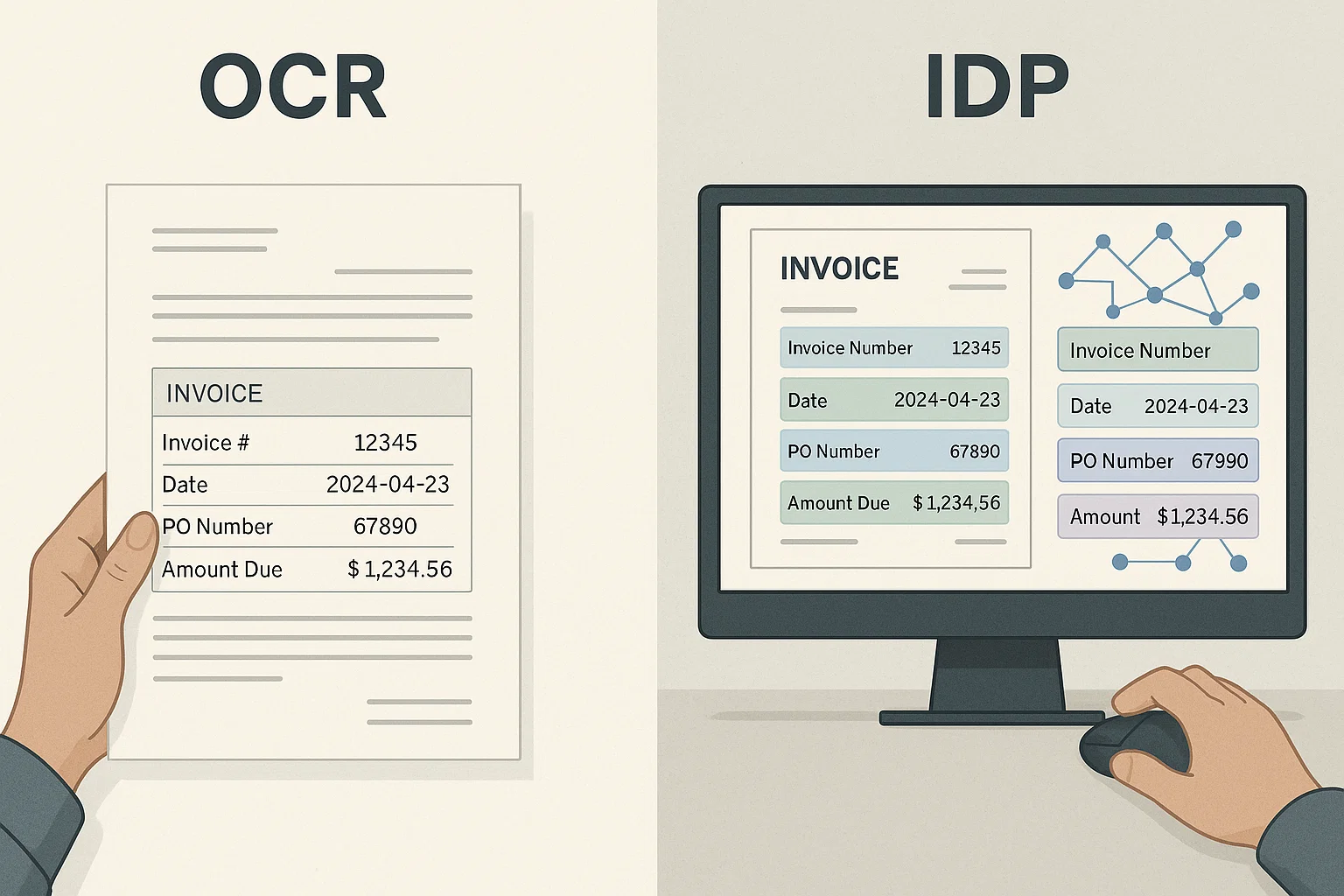
VLM vs OCR: When to Use Each in Production (2026)
A vision-language model can read almost anything but costs more per page than dedicated OCR. Here is when that math works, when it does not, and the hybrid that wins for most teams.
Want to see it on your own documents?
Try our free OCR tool in your browser, or book a demo to see how DocsAPI reads the document types covered in this guide.